403 Error Troubleshooting Guide
This guide covers the most common causes of 403 Forbidden errors on a website and how to resolve them.
1. Coraza WAF
One of the most common causes is the Coraza WAF blocking access according to ModSecurity CoreRuleSet rules.
-
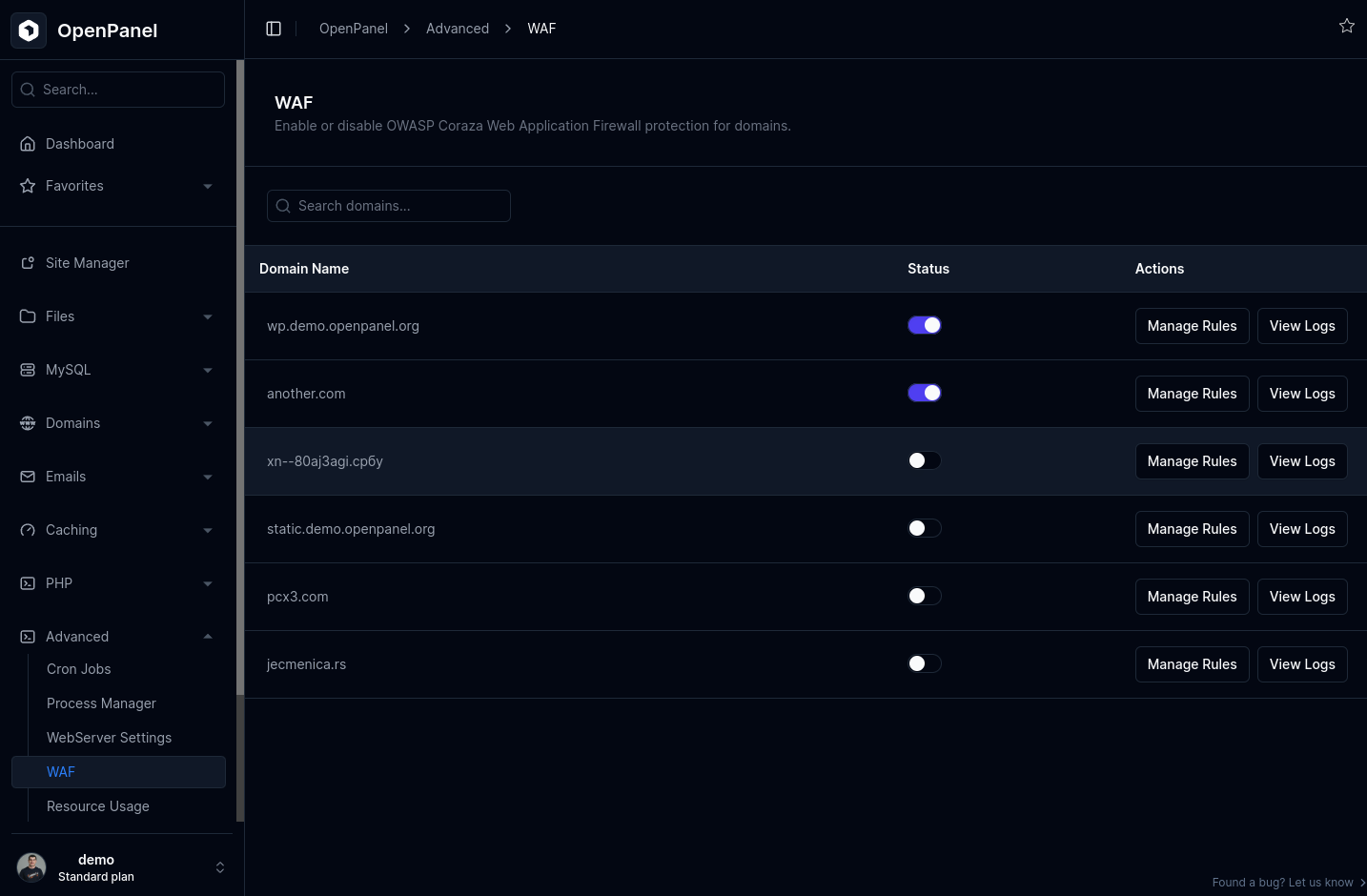
Navigate to Advanced > WAF in your hosting control panel.
-
Check if WAF is enabled for the domain. Temporarily disable it, then test the website to confirm if WAF is the cause.
-
If WAF is the issue:
- Not recommended: Leave WAF disabled for the domain.
- Better option: Identify the exact rule being triggered and disable only that rule.
-
To find the rule:
- Click View Logs to open ModSecurity logs.
- Search for your 403 request by IP, time, or request details.
- Note the Rule ID.
-
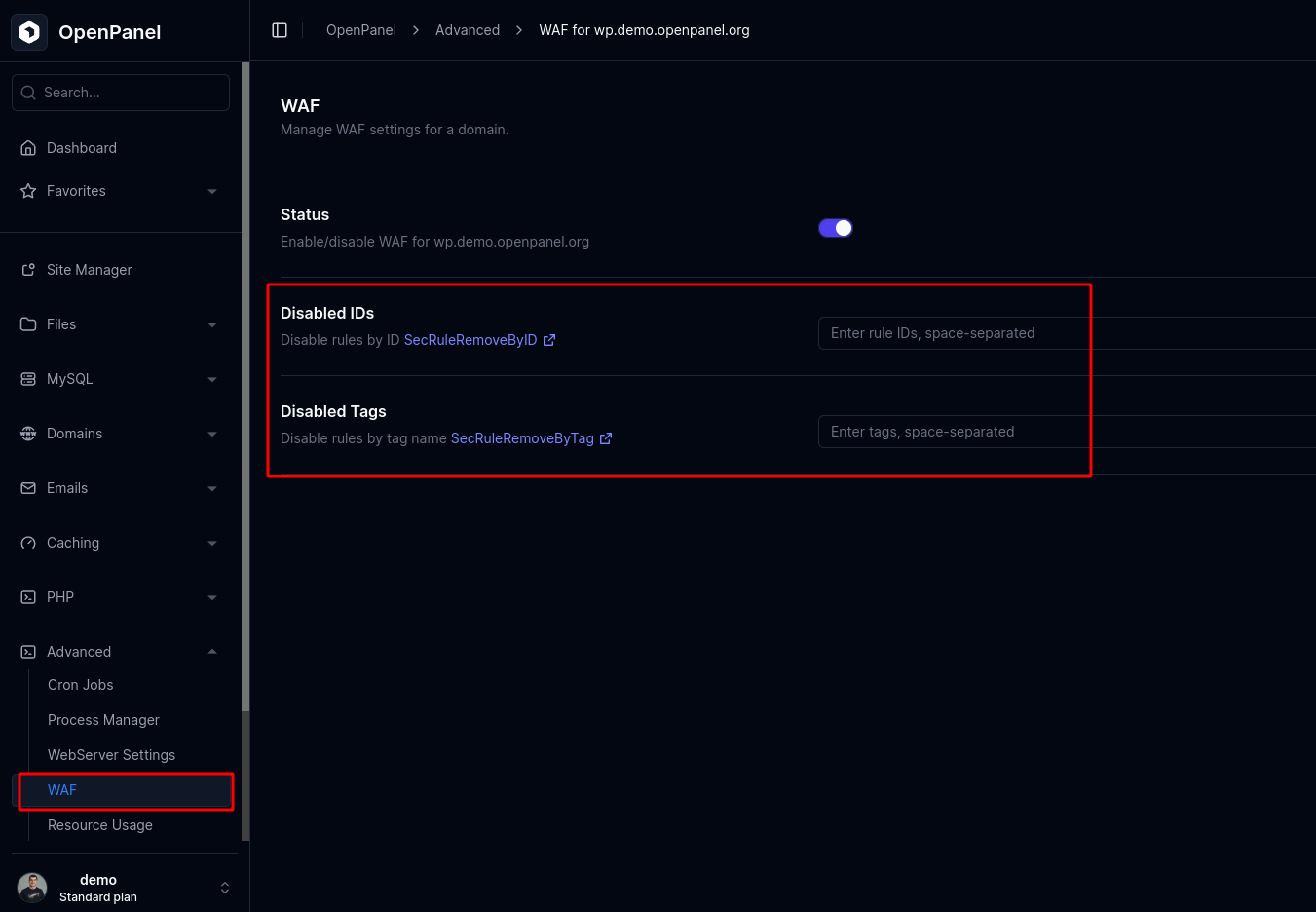
Go to Manage Rules for the domain in the WAF section:
- Disable by Rule ID: SecRuleRemoveByID
- Disable by Tag: SecRuleRemoveByTag
-
Re-enable WAF and retest the website.
2. WordPress
Content management systems like WordPress use .htaccess files that may block access.
-
Temporarily rename or remove the
.htaccessfile in your website’s root directory. -
Create a simple test file (e.g.,
index.php) and open it in the browser. -
If it loads, the issue is CMS-related.
-
Possible fixes:
- Disable WordPress plugins temporarily.
- Restore the default
.htaccessfile. - Seek help on your CMS forums or OpenPanel Community.
3. File Permissions
Incorrect file ownership or permissions can also trigger 403 errors.
-
Open File Manager and navigate to the domain’s directory.
-
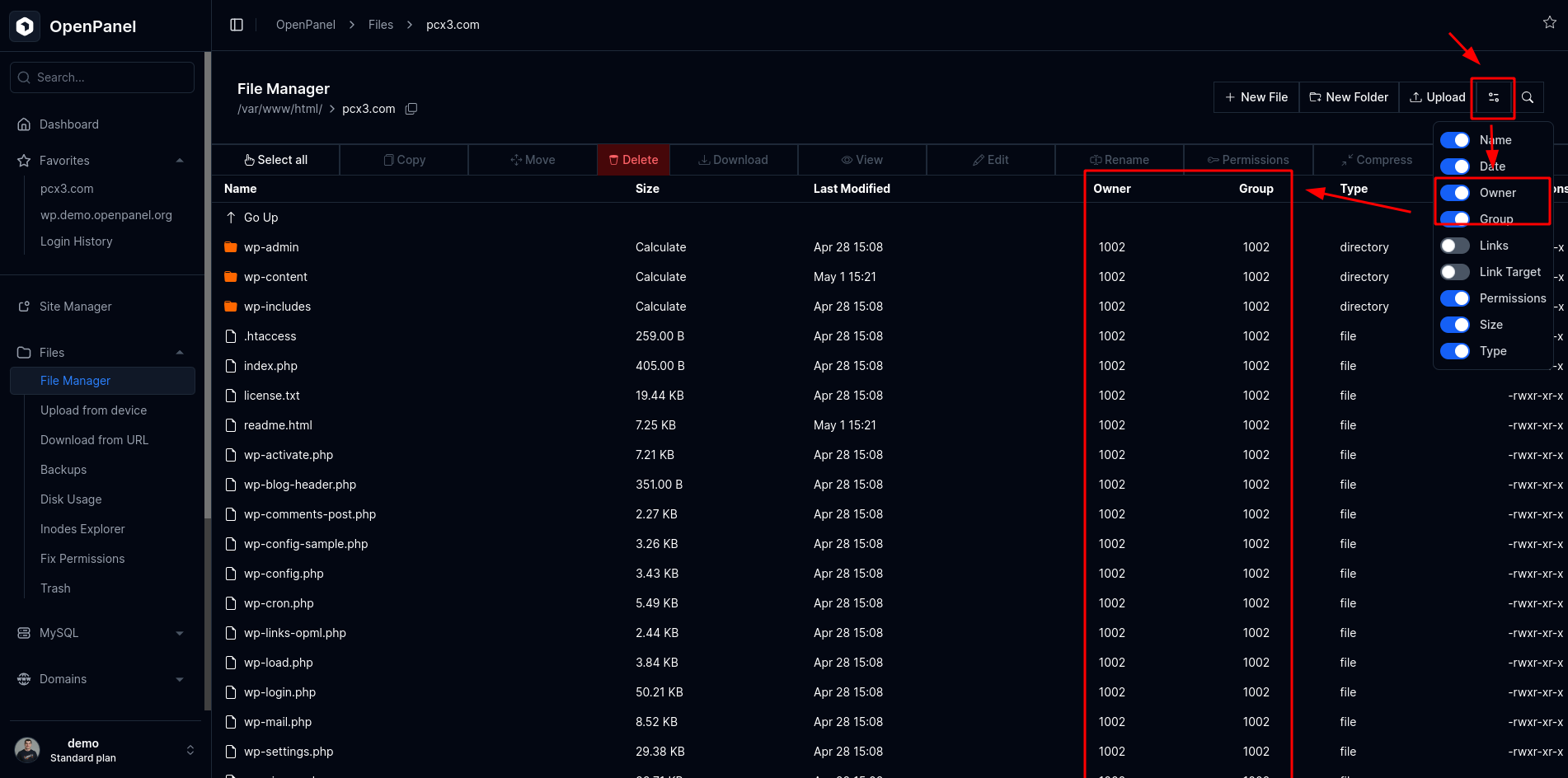
Click Options and enable Owner and Group columns.
-
Ensure all files have the same owner and group.
-
Check file and folder permissions.
-
If ownership is incorrect, use Files > Fix Permissions to restore defaults.
4. Sensitive files
By default, webserver blocks access to sensitive files:
.git
composer.json
composer.lock
auth.json
config.php
wp-config.php
vendor
If you are sure you want these files accessible (not recommended), edit the domain’s VHost configuration.
For OpenResty / Nginx:
# <!-- BEGIN EXPOSED RESOURCES PROTECTION -->
location ~* ^/(\.git|composer\.(json|lock)|auth\.json|config\.php|wp-config\.php|vendor) {
    deny all;
    return 403;
}
# <!-- END EXPOSED RESOURCES PROTECTION -->
For Apache:
# <!-- BEGIN EXPOSED RESOURCES PROTECTION -->
<Directory <DOCUMENT_ROOT>>
    <FilesMatch "\.(git|composer\.(json|lock)|auth\.json|config\.php|wp-config\.php|vendor)">
        Require all denied
    </FilesMatch>
</Directory>
# <!-- END EXPOSED RESOURCES PROTECTION -->