MySQL, MariaDB, or Percona
When creating a user, you can select which MySQL-compatible database type to use:
- MySQL
- MariaDB
Users also have the Change MySQL Type option, which allows switching between these types after creation.
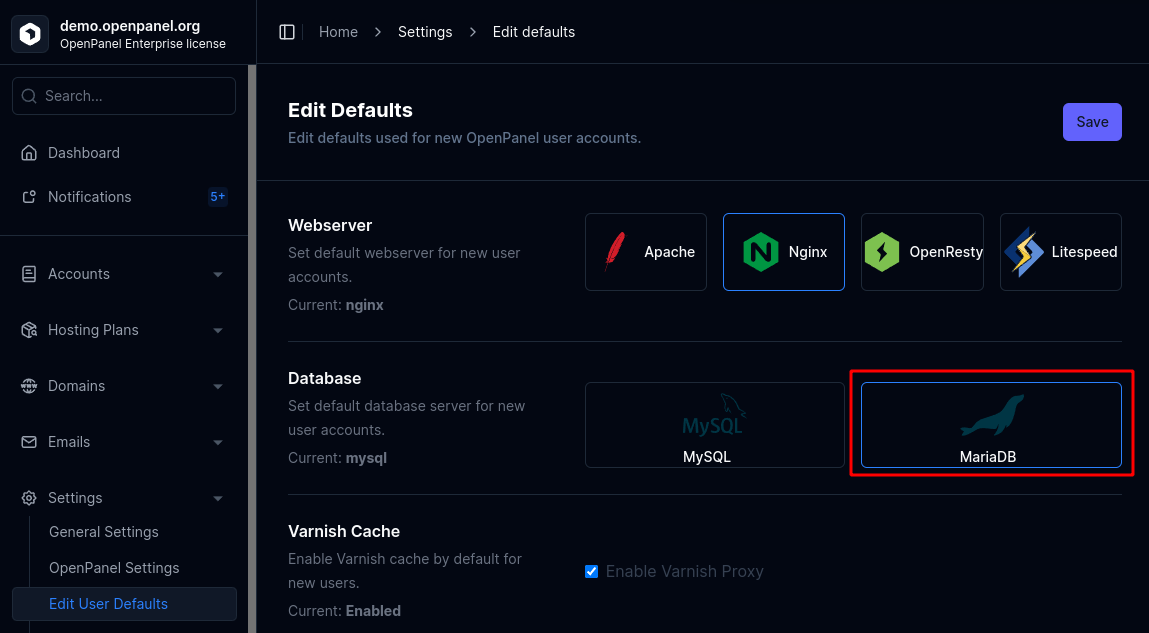
Administrators can configure the default database type for new users from OpenAdmin > Settings > User Defaults.
MySQL
MySQL can be assigned either to all new users by default or to individual users during creation.
Set for a Single User
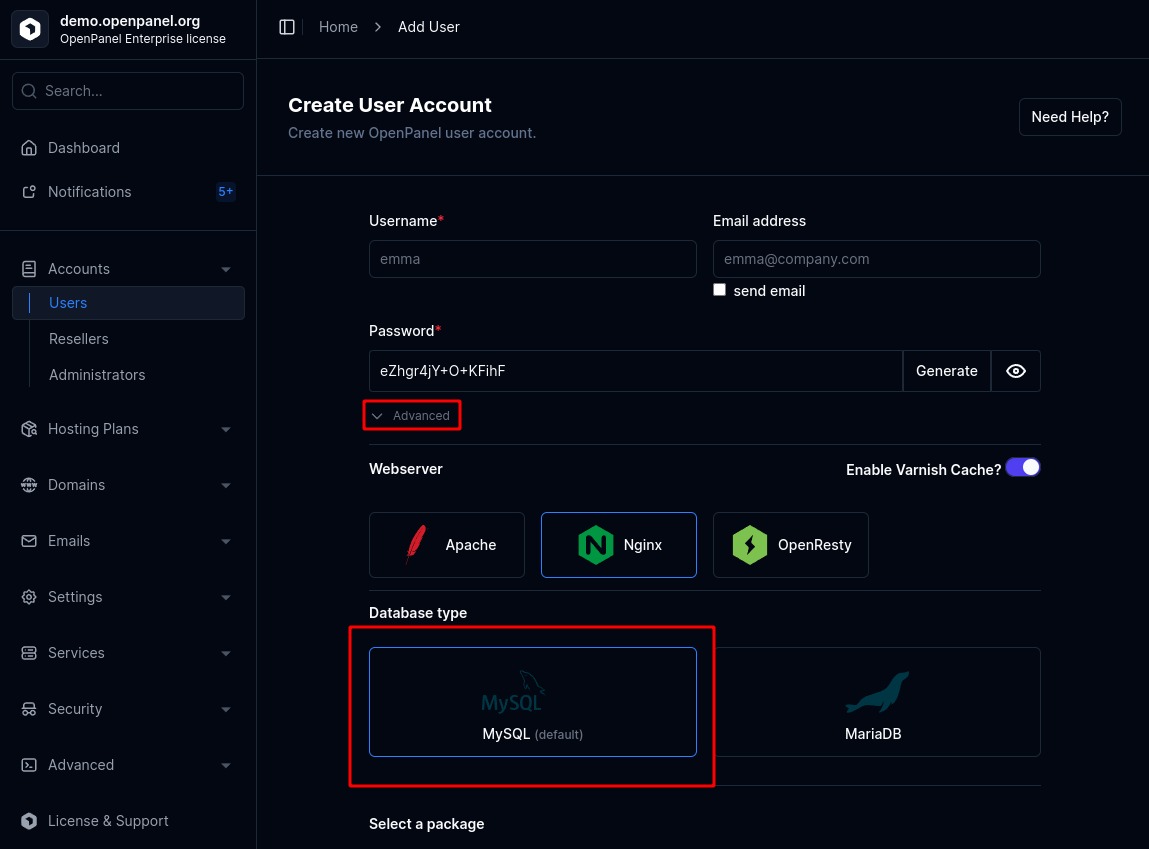
To set MySQL for a single user during creation:
- Open the New User form.
- Under the Advanced section, select MySQL as the database type.
Set as Default
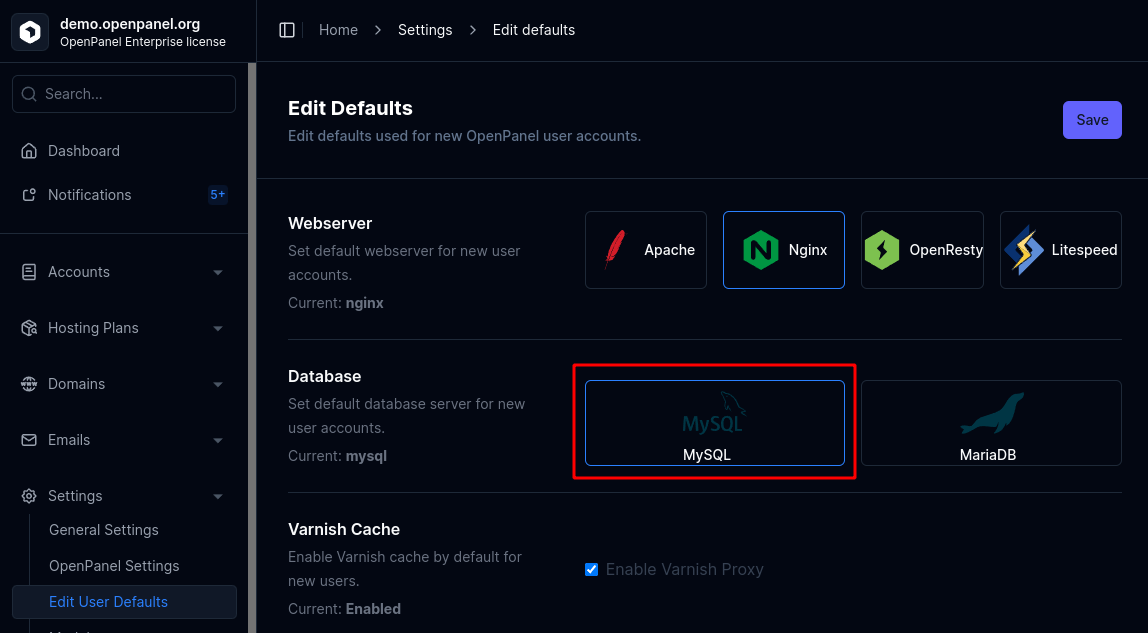
To make MySQL the default for all newly created users:
- Go to OpenAdmin > Settings > User Defaults and select MySQL as the default database type.
MariaDB
MariaDB can be assigned either to all new users by default or to individual users during creation.
Set for a Single User
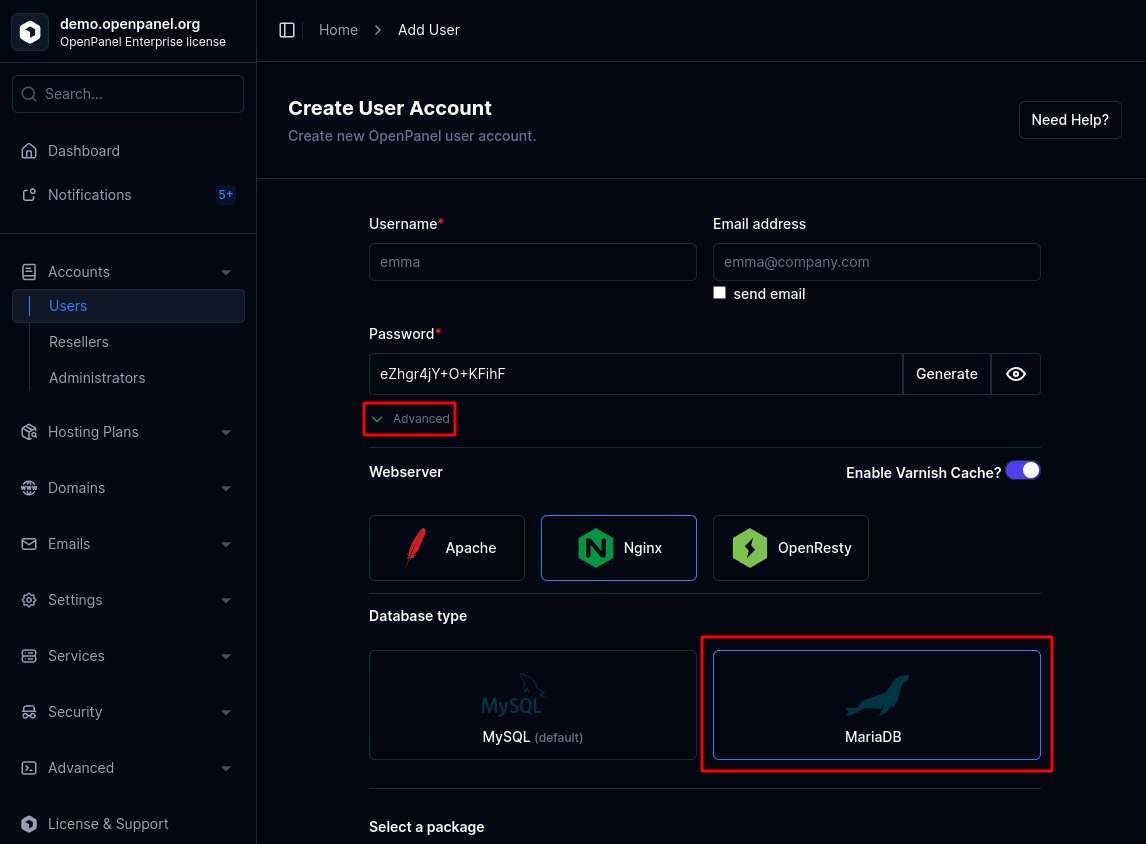
To set MariaDB for a single user during creation:
- Open the New User form.
- Under the Advanced section, select MariaDB as the database type.
Set as Default
To make MariaDB the default for all newly created users:
- Go to OpenAdmin > Settings > User Defaults and select MariaDB as the default database type.
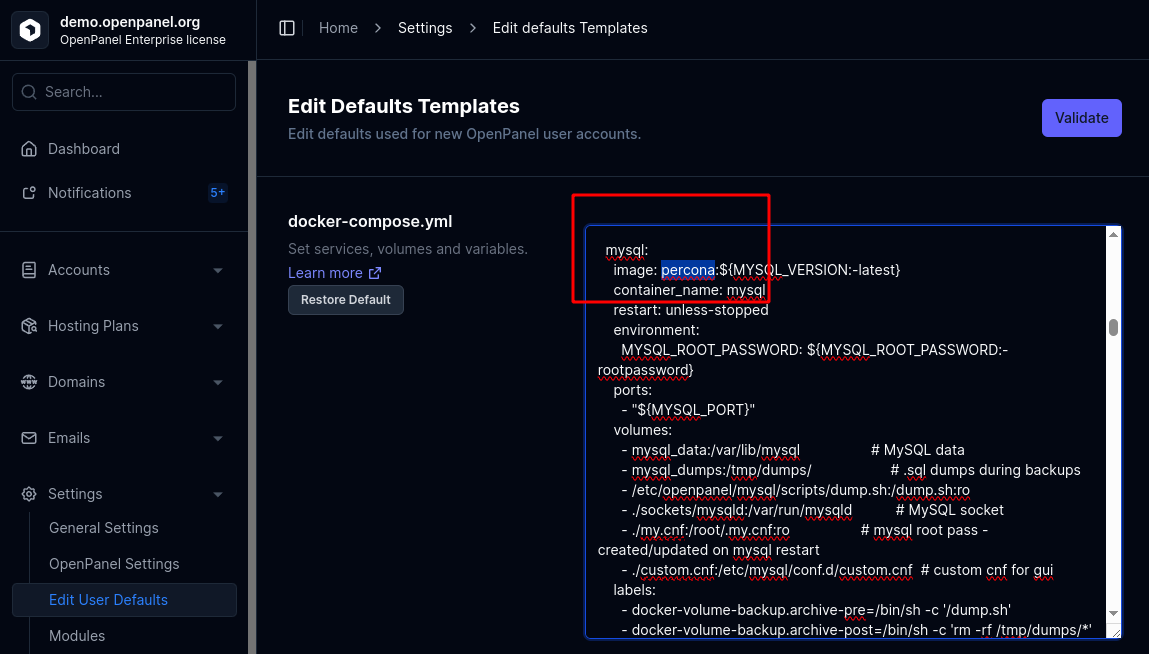
Percona
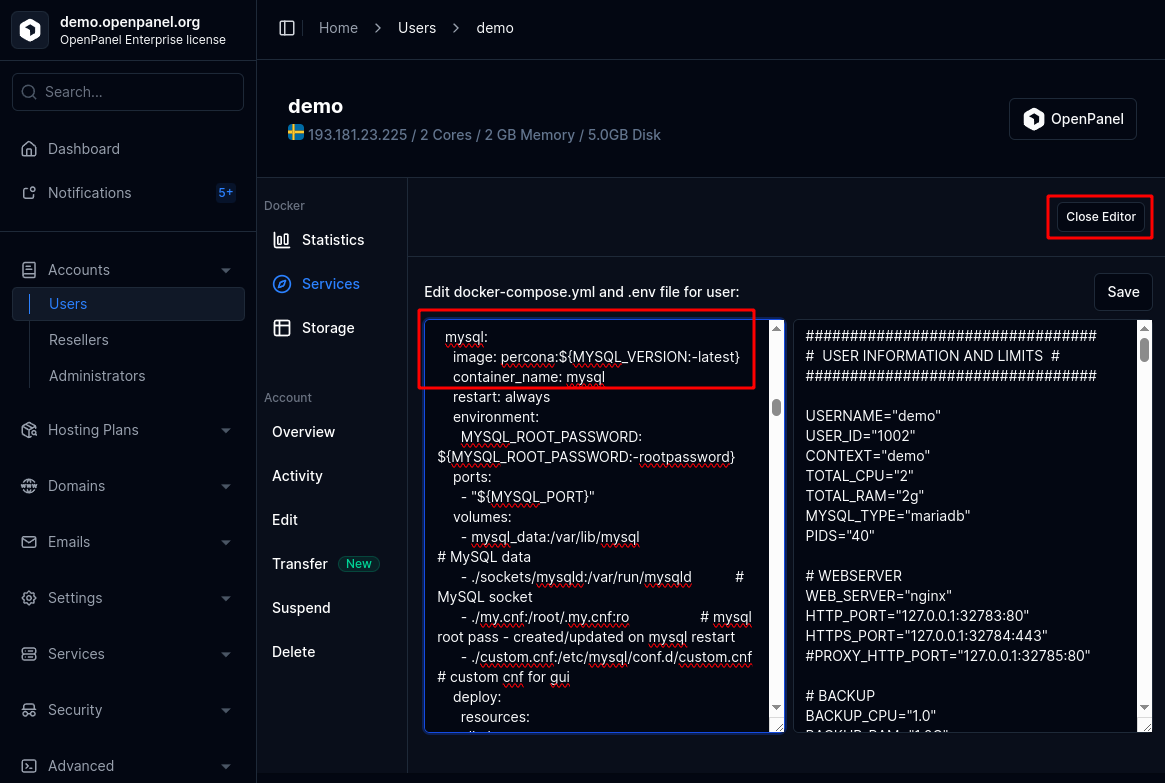
Percona is a drop-in replacement for MySQL. It can be set by changing the Docker image from mysql to percona. The interface and all actions remain fully compatible.
Set for a Single User
To set Percona for a single user during creation:
- Open the New User form.
- Under the Advanced section, select MySQL as the database type.
- Create the user.
- Edit the user's Compose file and change the MySQL image to
percona.
Set as Default
To make Percona the default for all newly created users:
- Go to OpenAdmin > Settings > User Defaults > Advanced
- Change the MySQL service image to
percona.