Feature Manager
The Feature Manager allows administrators to enable or disable specific features (pages) within the OpenPanel UI. This is useful for customizing the control panel experience based on user roles, security policies, or hosting plans.
Enabled/disabled features are grouped into Feature Sets - named collections of toggles that are then assigned to a hosting plan. Each feature set is its own list, so different plans can expose a different set of pages to their users.
Navigating the Feature Manager
Go to OpenAdmin > Hosting Plans > Feature Manager. The index page has two sections:
- Create - type a name and click Create to create a new, empty feature set.
- Manage - pick an existing feature set from the Manage feature set dropdown to open and edit it.
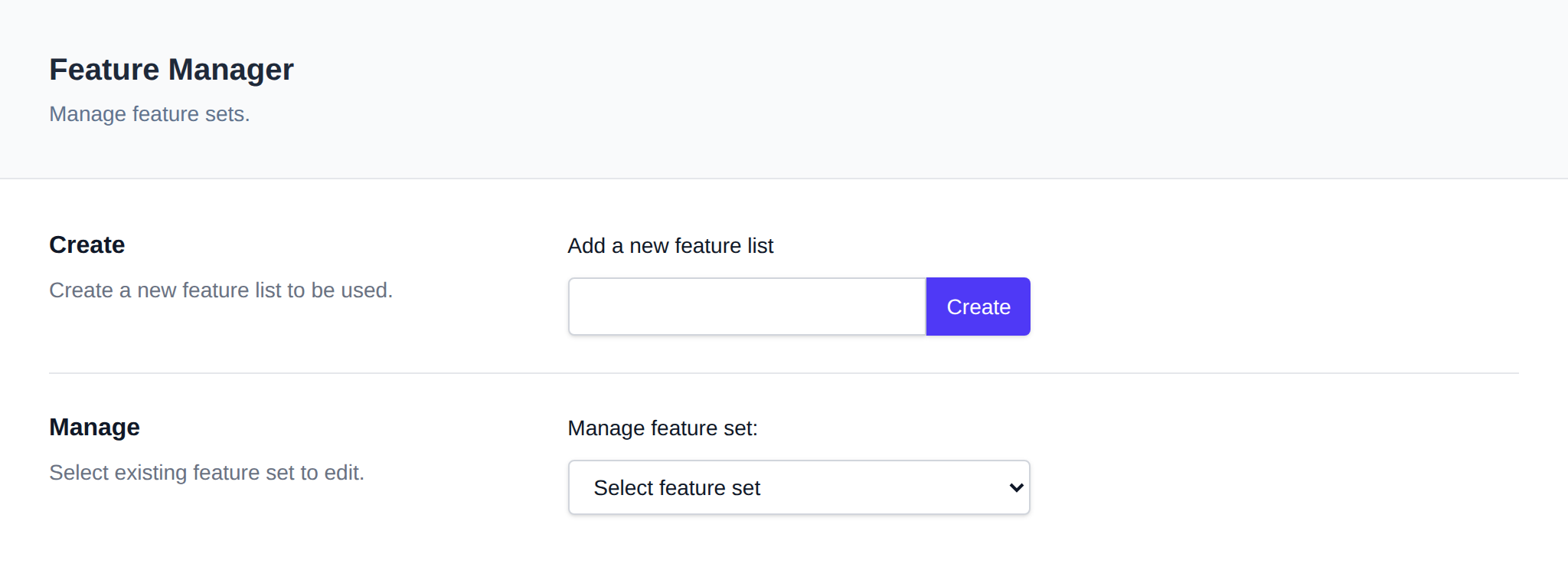
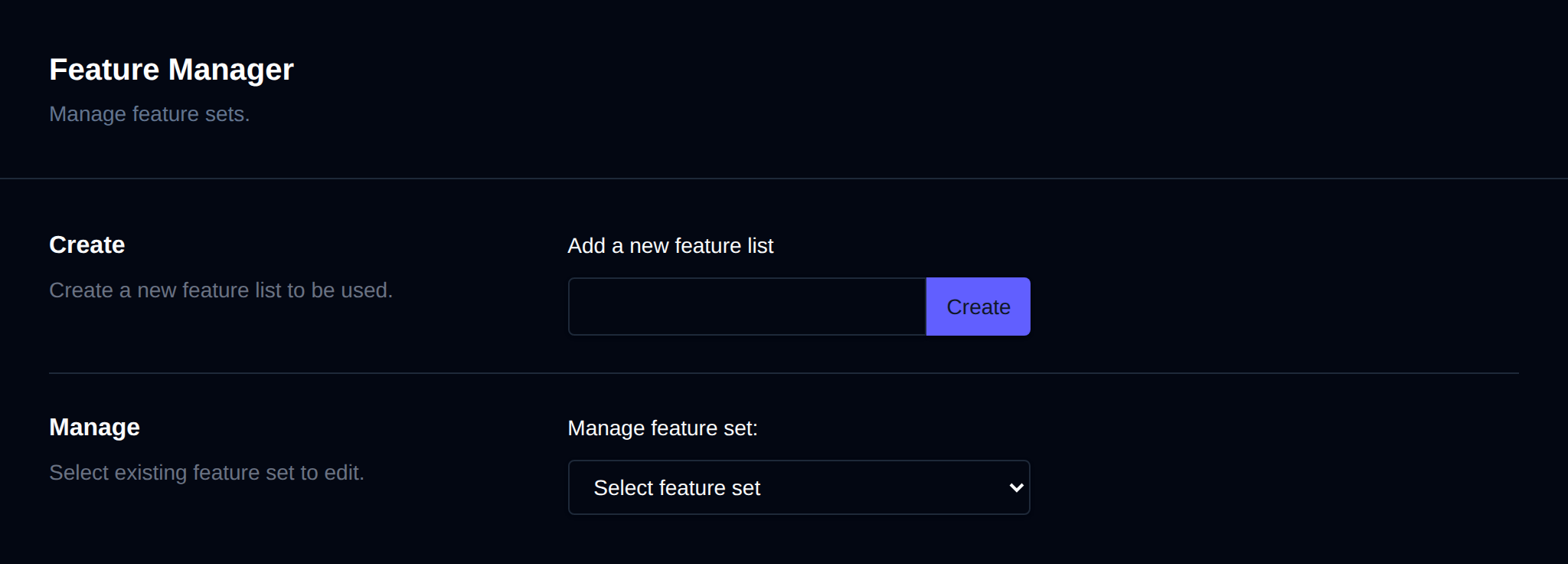
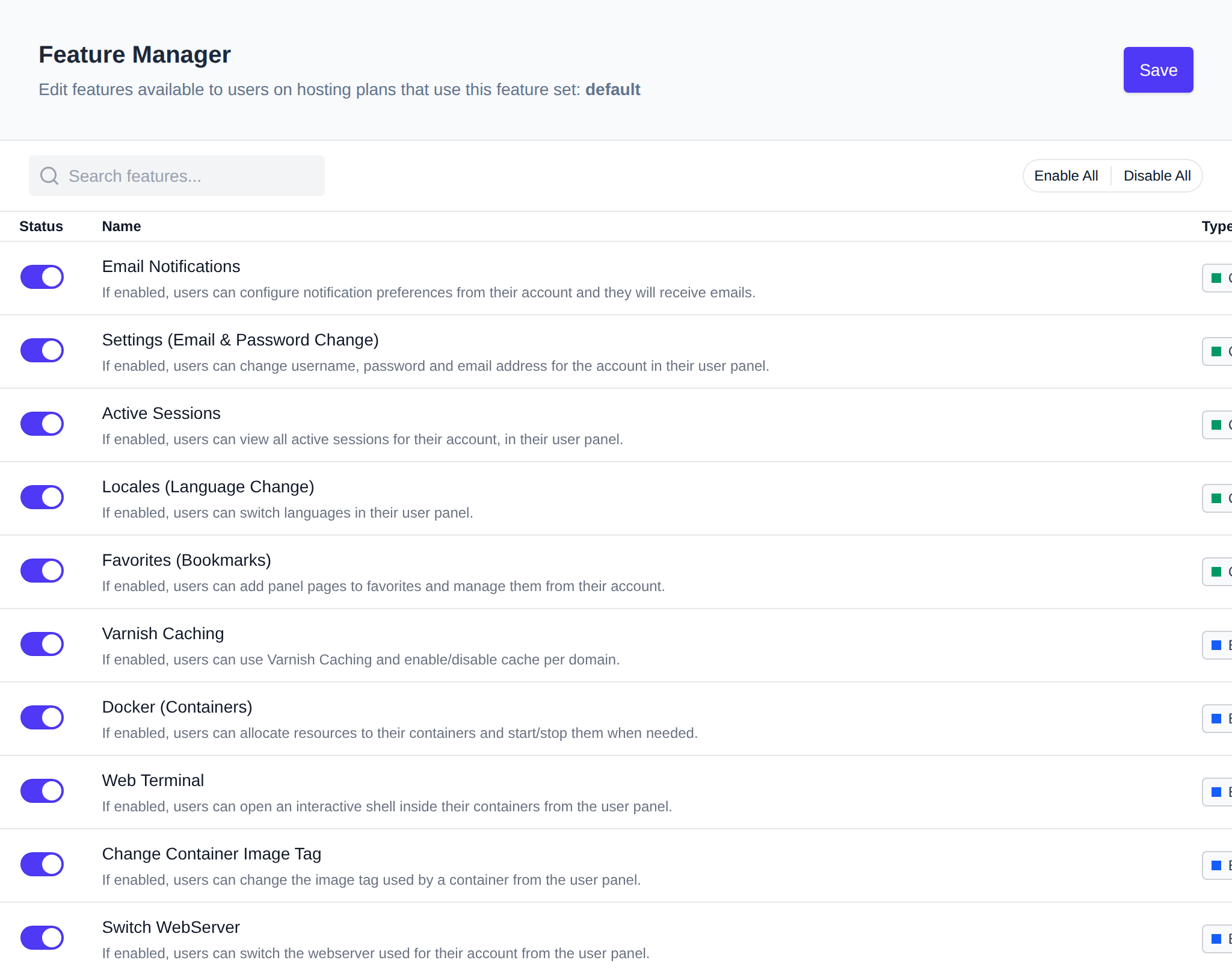
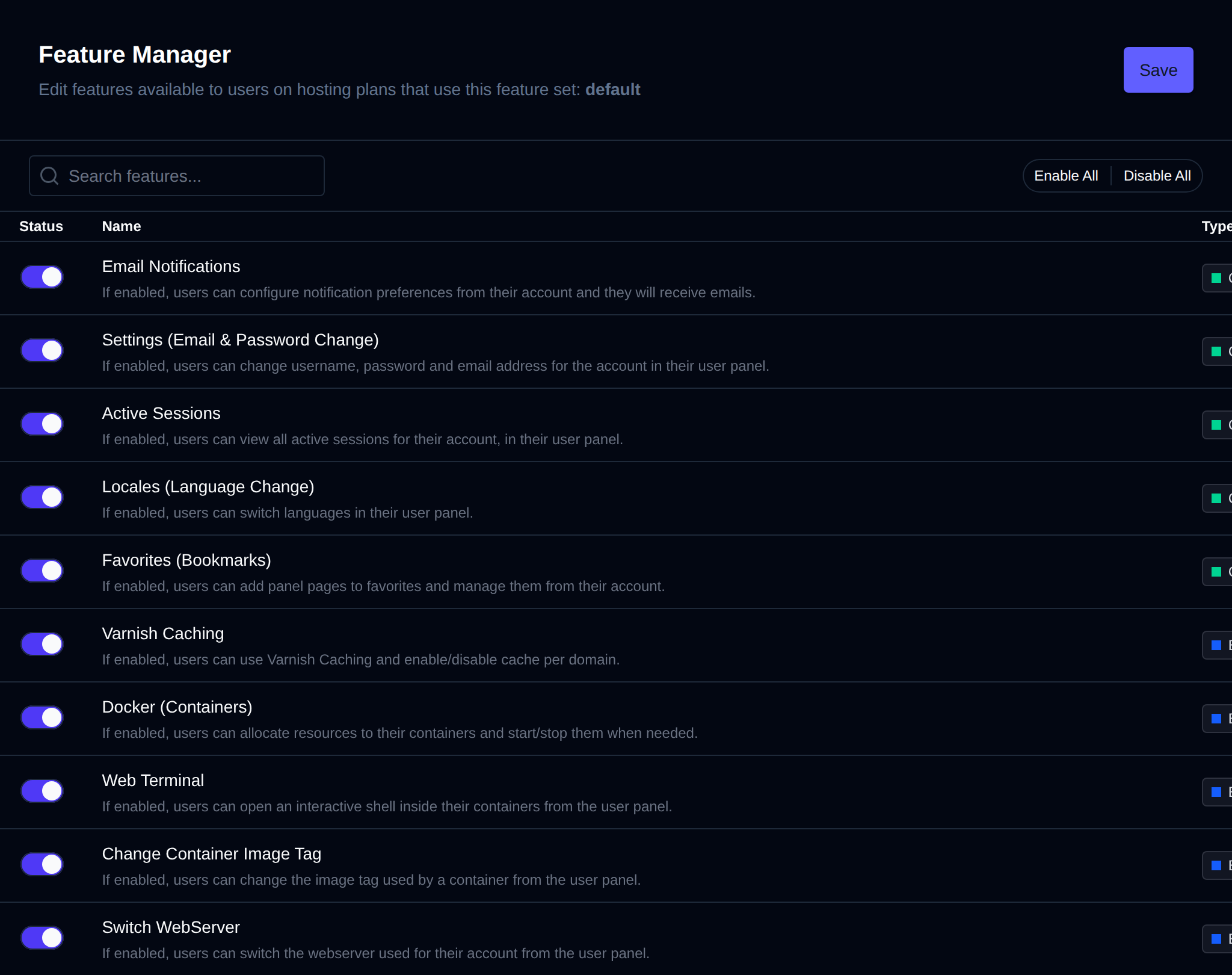
Selecting or creating a feature set opens its edit page, where every available feature is listed in a table:
| Column | Description |
|---|---|
| Status | Toggle switch to enable/disable the feature for this feature set. |
| Name | Feature title and a short description. |
| Type | Community, Enterprise, or Beta. Enterprise features can only be toggled on when an Enterprise license is active - otherwise the toggle is disabled. |
| Page | The OpenPanel page/route the feature controls. |
| Module | Whether the underlying module is enabled. If it shows Disabled, the feature has no effect for users even when toggled on here - click it to go enable the module. |
Use the search box to filter features by name or description, and Enable All / Disable All to toggle every feature at once. Click Save to apply your changes - they take effect for users on plans assigned to this feature set right away. The default feature set cannot be deleted, and a feature set that is currently assigned to a hosting plan cannot be deleted either.
Available Features
| Name | Page | Type | Description |
|---|---|---|---|
| Email Notifications | /account/notifications | Community | Users can configure notification preferences from their account and they will receive emails. |
| Settings (Email & Password Change) | /account/settings | Community | Users can change username, password and email address for the account in their user panel. |
| Active Sessions | /account/sessions | Community | Users can view all active sessions for their account, in their user panel. |
| Locales (Language Change) | /account/languages | Community | Users can switch languages in their user panel. |
| Favorites (Bookmarks) | /account/favorites | Community | Users can add panel pages to favorites and manage them from their account. |
| Varnish Caching | /cache/varnish | Community | Users can use Varnish Caching and enable/disable cache per domain. |
| Docker (Containers) | /containers | Enterprise | Users can allocate resources to their containers and start/stop them when needed. |
| FTP accounts | /ftp | Enterprise | Users can create and manage FTP accounts. The FTP server must be configured separately. |
| Webmail (Roundcube) | /webmail | Enterprise | Users can auto-login to webmail (Roundcube) for email accounts. The Roundcube service must be configured separately. |
| Email accounts | /emails | Enterprise | Users can create and manage email accounts. The mail server must be configured separately. |
| Email Deliverability | /emails/deliverability | Enterprise | Users can check SPF, DKIM and DMARC for their domains. |
| Email Filters | /emails/filter | Enterprise | Users can configure filters and forwarders for their emails. |
| Email Aliases | /emails/aliases | Enterprise | Users can manage aliases (forward from a non-existing address). |
| Address Importer | /emails/import | Enterprise | Users can import email addresses from a CSV file. |
| Address Exporter | /emails/export | Enterprise | Users can export email addresses into a CSV file. |
| Default Address | /emails/default | Enterprise | Users can create default (catch-all) email addresses. |
| MySQL | /mysql | Community | Users can manage MySQL databases and users. |
| Remote MySQL | /mysql/remote-mysql | Community | Users can enable/disable remote access to MySQL databases. |
| Import MySQL Databases | /mysql/import | Community | Users can import .sql files into MySQL databases from their user panel. |
| MySQL Configuration | /mysql/configuration | Community | Users can edit MySQL configuration from their user panel. |
| MySQL Process List | /mysql/processlist | Community | Users can view the MySQL processlist from the user panel. |
| MySQL Root Password | /mysql/root-password | Community | Users can change the password for their MySQL root user from the user panel. |
| PostgreSQL | /postgresql | Enterprise | Users can manage PostgreSQL databases and users. |
| Remote PostgreSQL | /postgresql/remote-postgresql | Enterprise | Users can enable/disable remote access to PostgreSQL databases. |
| Import PostgreSQL Databases | /postgresql/import | Enterprise | Users can import .sql files into PostgreSQL databases from their user panel. |
| PostgreSQL Configuration | /postgresql/configuration | Enterprise | Users can edit PostgreSQL configuration from their user panel. |
| pgAdmin | /postgresql/pgadmin | Enterprise | Users can manage pgAdmin and use it to connect to their PostgreSQL databases. |
| PHP | /php | Community | Users can change the PHP version for domains, set limits, and set the default version for new domains. |
| PHP Options | /php/options | Community | Users can edit configured php.ini directives using the Options page. |
| PHP.INI Editor | /php/ini | Community | Users can directly edit the php.ini file for any PHP version. |
| PHP Extensions | /php/extensions | Beta | Users can manage extensions for their PHP versions. |
| phpMyAdmin | /mysql/phpmyadmin | Community | Users can manage phpMyAdmin and use it to connect to their MySQL databases. |
| Cronjobs | /cronjobs | Community | Users can configure cronjobs. |
| Backups | /backups | Beta | Users can configure backups. |
| Backup Wizard | /backup-wizard | Community | Users can generate and download a full account backup. |
| WordPress | /wordpress | Community | WordPress can be installed via the AutoInstaller and users can manage sites with the WP Manager. |
| Website Builder | /website-builder | Community | Users can create HTML websites using the GrapesJS drag-and-drop editor. |
| Python Applications | /python | Enterprise | Containerized Python applications can be set up from the AutoInstaller. |
| NodeJS Applications | /nodejs | Enterprise | Containerized NodeJS applications can be set up from the AutoInstaller. |
| AutoInstaller | /auto-installer | Community | Users can use the Auto-Installer page to manage websites and install applications. |
| Disk Usage Explorer | /disk-usage | Enterprise | Users can access the Disk Usage page to browse current disk usage per directory. |
| Inodes Explorer | /inodes-explorer | Enterprise | Users can access the Inodes Usage page to browse current inode usage per directory. |
| Resources Usage | /usage | Community | Docker stats are collected for containers and users can browse the data on the Resource Usage page. |
| Server Info | /server/info | Community | Users can view their hosting plan limits and server information on the Server Information page. |
| Webserver Configuration | /server/webserver_conf | Community | Users can edit the Nginx/Apache configuration for their webserver containers. |
| Coraza WAF | /waf | Enterprise | Coraza WAF is automatically enabled for new domains, and users can enable/disable protection per domain. |
| File Manager | /files | Community | Users have access to the File Manager to manage website files (/var/www/html/). Disable this feature for 'Email-only' or 'DNS-only' plans. |
| Trash | /files.trash | Enterprise | Users can view and manage the Trash folder. |
| ClamAV (Malware Scanner) | /malware-scanner | Beta | The ClamAV service is started and users can run scans against their files. |
| Fix Permissions | /fix-permissions | Community | Users have access to the Fix Permissions tool to change owner and permissions for website files. |
| DNS | /dns | Community | BIND9 runs locally and a DNS zone is created for new domains. Users manage records via the Zone Editor. |
| Domain Redirects | /domains/redirects | Enterprise | Users can create and manage redirects for their domains. |
| Edit VirtualHosts | /domains/vhosts | Enterprise | Users can edit Virtual Host files for their domains. |
| Domains | /domains | Community | Users can add and manage domains. Disable this feature for 'Email-only' or 'DB-only' plans. |
| Suspend domains | /domains/suspend | Enterprise | Users can suspend a domain to temporarily disable website access. |
| SSL | /domains/ssl | Community | Users can view SSL configuration for domains and add custom certificates. |
| Docroot | /domains/docroot | Community | Users can set and change the document root (folder) for their domains. |
| Capitalize Domains | /domains/capitalize | Enterprise | Users can capitalize letters in their domain names. |
| Domain Logs | /domains/log | Community | Users can view raw webserver access logs for their domains. |
| GoAccess | /domains/stats | Community | GoAccess runs on a schedule to generate HTML reports from domain logs, viewable from the Domain Logs page. |
| Process Manager | /process-manager | Community | Users can view/kill processes from the Process Manager page. |
| Redis | /cache/redis | Community | Users can configure Redis from their user panel. |
| Valkey | /cache/valkey | Community | Users can configure Valkey from their user panel. |
| Memcached | /cache/memcached | Community | Users can configure Memcached from their user panel. |
| Services | /services | Community | Users can start/stop and view logs for any service. |
| Elasticsearch | /cache/elasticsearch | Community | Users can configure Elasticsearch from their user panel. |
| Opensearch | /cache/opensearch | Community | Users can configure Opensearch from their user panel. |
| Temporary Links | /websites | Enterprise | Users can test websites using temporary OpenPanel subdomains. Links expire after 15 minutes. |
| Login History | /account/loginlog | Community | Users can view the last 20 IPs that logged into their account. |
| 2FA | /account/2fa | Community | Users can enable Two-Factor Authentication (2FA) for their account. |
| Passkeys | /account/passkeys | Enterprise | Users can configure Passkeys for their account. |
| Activity Log | /account/activity | Community | Users can browse all recorded actions for their account. |
| Dynamic DNS | /domains/dynamic-dns | Enterprise | Users can create subdomains that are updated via webhooks. |
| IP Blocker | /security/ip-blocker | Enterprise | Users can block IP addresses from accessing their websites. |
| API | /api/login | Enterprise | Users can use JWT tokens to perform panel actions via the API. |
| MCP | /account/mcp | Enterprise | Users can use the MCP server to perform panel actions. |
Enterprise-type features can only be enabled while the server has an active Enterprise license - on Community licenses their toggle is disabled (grayed out) in the Feature Manager.
Use Cases
Feature Sets are used to control which UI features users can access based on their assigned hosting package. This allows for clear separation between user types and service levels.
Example 1: Database-Only Plans
Create a feature set named "MySQL Only" and enable only MySQL-related features within it. Assign this feature set to all database-focused hosting packages. For instance:
- One package allows up to 10 databases.
- Another package allows unlimited databases (
0for no limit).
Despite the difference in limits, all users under these plans will see only MySQL-related pages in the UI.
Example 2: Beginner vs. Advanced Users
Create two separate feature sets:
-
Advanced Users Set: Enable features like Docker and PHP.INI Editor to give experienced users full control—such as setting custom resource limits, restarting services, etc.
-
Beginner Users Set: Do not enable advanced features. Instead, allow access to a PHP selector with limited options. This keeps the UI simple and safe for users with minimal technical experience.
Feature not showing?
Features are accessible to users only if the corresponding Module is active. Modules control which OpenPanel features are available, while Feature Sets determine access based on the user's hosting package.
For example, adding the "Docker" feature to a feature set does not grant access to the Docker (Containers) page in the UI unless the Docker module is also activated under OpenAdmin > Settings > Modules. The Module column on the feature set's edit page shows the current status of each feature's module, and links straight to the Modules page when it's disabled.
Also double check that the feature's Type isn't Enterprise while running on a Community license - Enterprise features cannot be toggled on without an active Enterprise license.