FTP Accounts
FTP management in OpenAdmin is only available on OpenPanel Enterprise edition
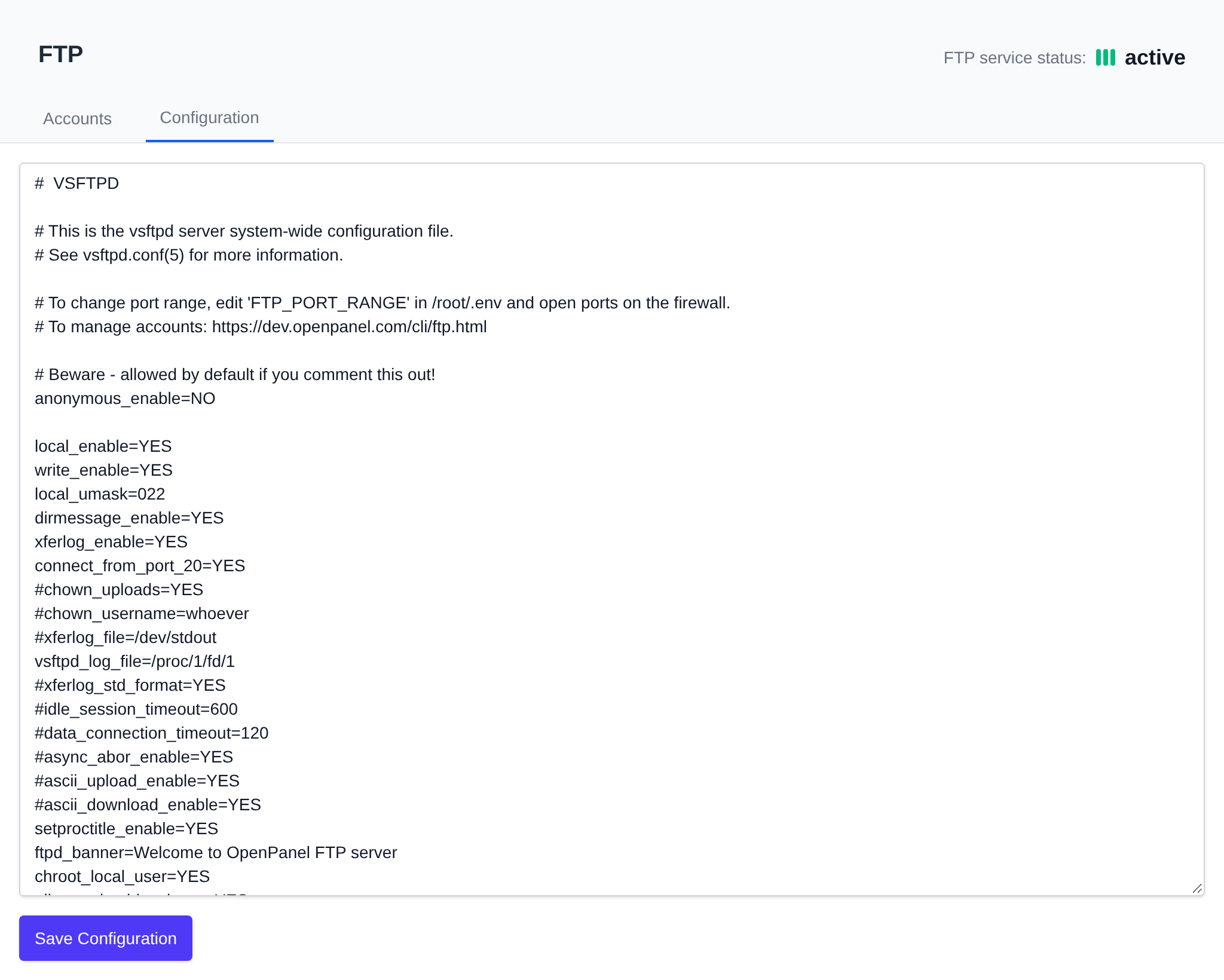
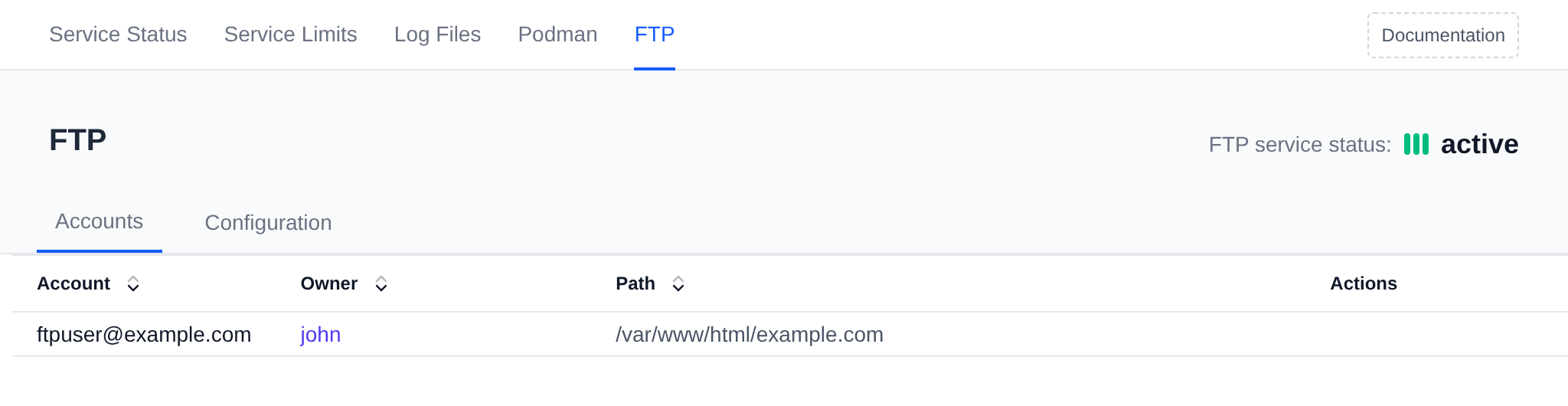
The Services > FTP page lets you review the FTP sub-accounts associated with OpenPanel users, and edit the FTP server configuration. It has two tabs: Accounts (/services/ftp) and Configuration (/services/ftp/settings).
The FTP service must be running for the accounts list to be available.
The Accounts tab table includes the following details:
- Account – Username of the FTP account.
- Owner – The OpenPanel user that owns the FTP account, linking to that user's page. For accounts named
[email protected]this is the owner of that domain, the same user shown for it on the Domains page. If the domain no longer exists, the owner is shown as-. - Path – The file system path to which the FTP account has access.
This list is read-only in OpenAdmin — accounts are created/removed from the OpenPanel user interface, not from here. The data shown is populated by the opencli ftp-users command; if no accounts are shown yet, click Click to refresh data to run it manually, or wait for its periodic cronjob run.
The Configuration tab exposes the raw FTP server configuration file in an editable text area. Edit the file contents and click Save Configuration to apply changes.