Activity Log
OpenAdmin records every change made by Administrators and Resellers in a separate activity log for each account. Only requests that change something are recorded, opening or browsing pages is not.
Each entry has the date and time, the IP address it was made from and a short description of the action, for example:
2026-09-28 08:02:51 203.0.113.10 Added domain 'shop.bakery.rs' for user 'john'
- Actions that failed end with
(failed), for example a domain that could not be added. - Actions made through the OpenAdmin API are recorded in the log of the administrator the API token belongs to and end with
(via API). - Passwords and other values typed into forms are never written to the log.
- Logins are not part of the activity log, they are shown in the Activity column and kept in
/var/log/openpanel/admin/login.log.
Viewing the Activity Log
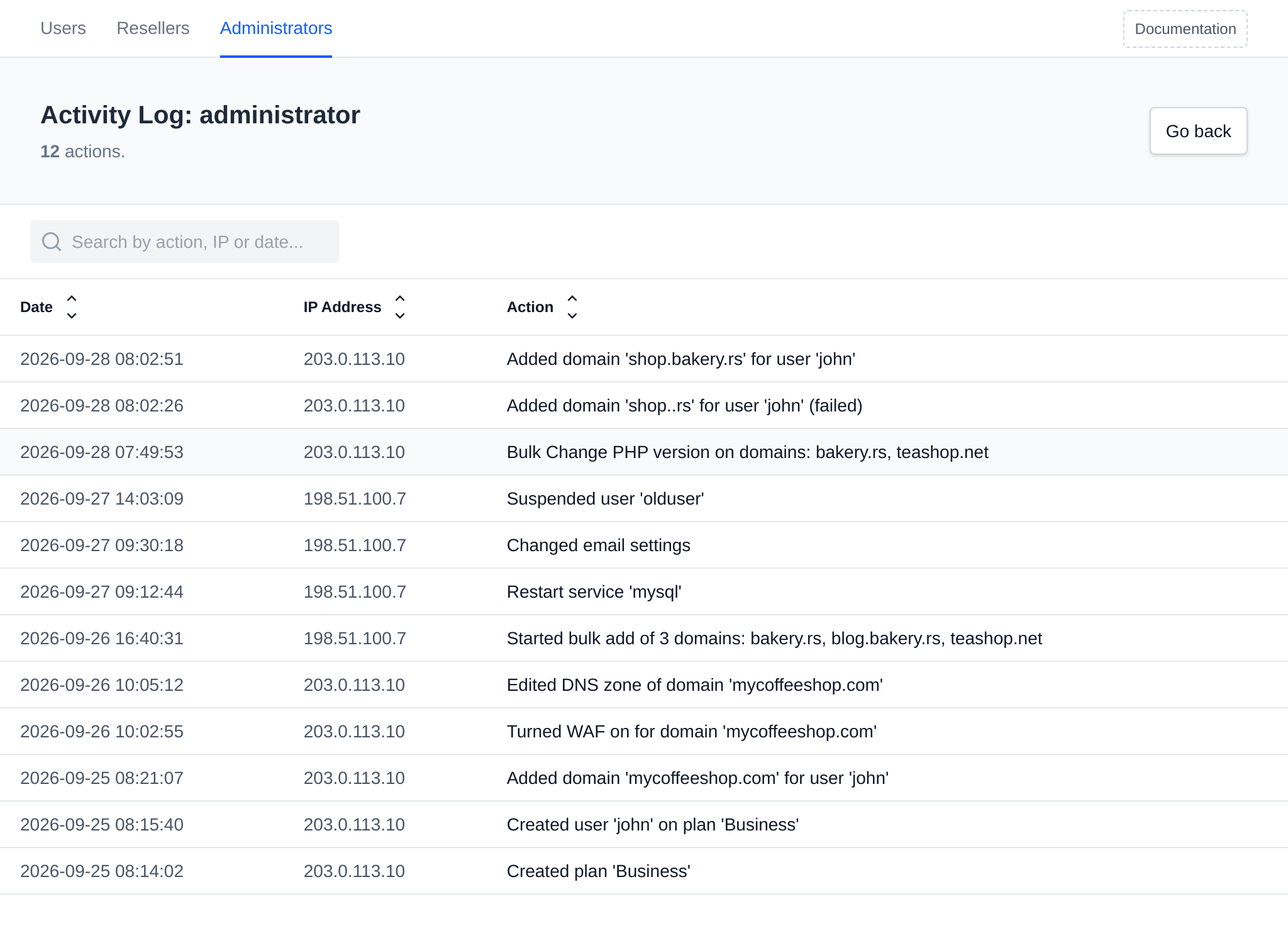
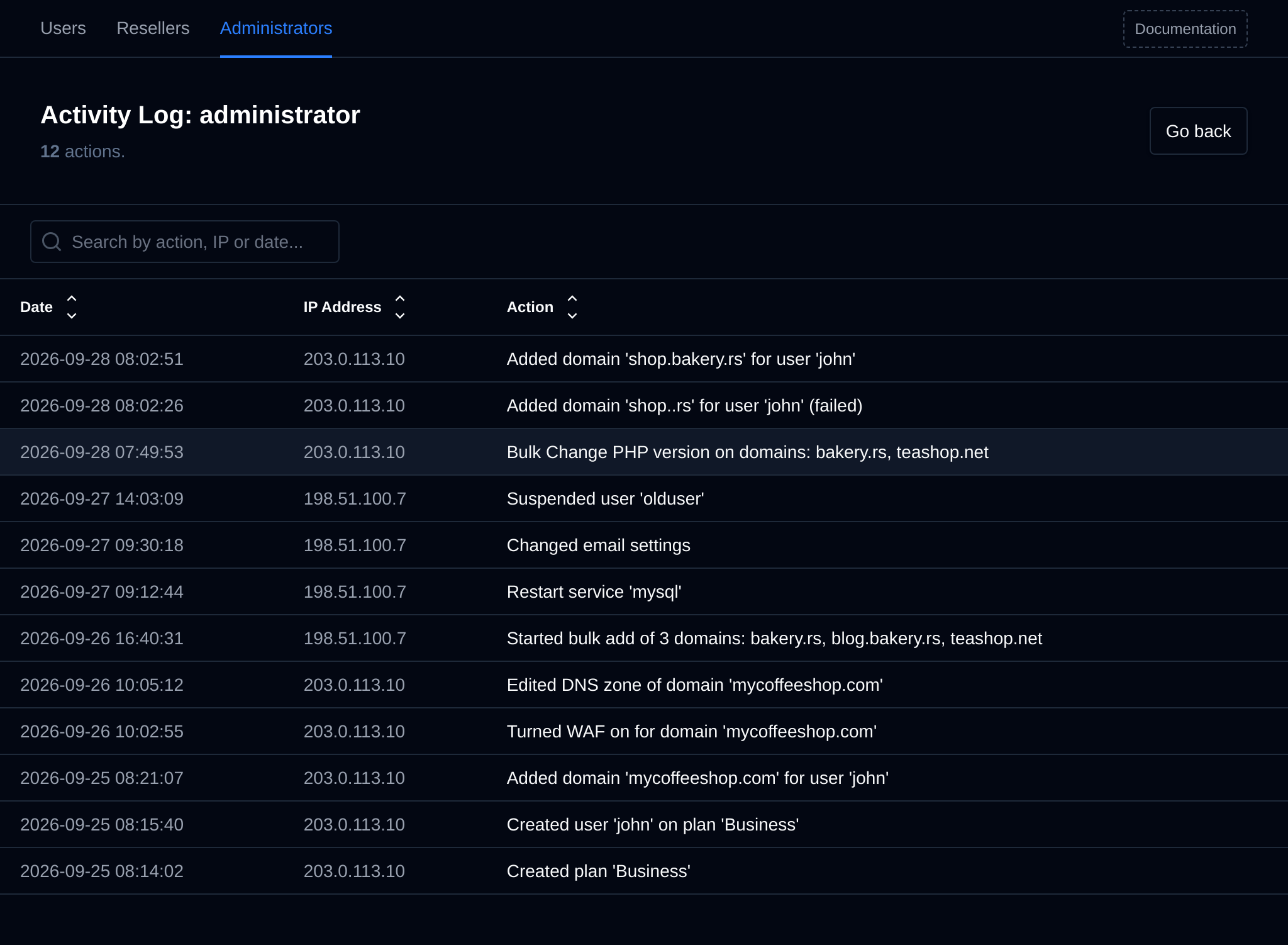
The Activity column on the Administrators and Resellers pages shows the last action of each account, with the IP address and time of their last login below it. Click the action, or pick Activity Log from the Edit menu, to open the full log:
/administrators/activity/<username>for administrators/resellers/activity/<username>for resellers
The newest actions are shown first, 50 per page. Use the search to filter by action, IP address or date, and the arrows next to the column names to sort.
| Role | Can view |
|---|---|
| Super Admin | The activity log of every account. |
| Admin | The activity log of every account. |
| Reseller | Only their own, from My Activity Log on their Reseller Account page. |
Log files
The logs are stored in /var/log/openpanel/admin/activity/<username>.log, one line per action. Once a log grows past 2 MB, the oldest entries are removed so that about the newest 1 MB is kept.
When an account is renamed with opencli admin rename (or from OpenAdmin), its log file is renamed too, and when an account is deleted with opencli admin delete its log file is deleted.
Actions recorded for Administrators
Administrators can use every page in OpenAdmin, so every change below can appear in their log. Values in <> are replaced with the actual names.
Administrators
Created administrator '<username>'Renamed administrator '<username>' to '<new name>'Changed password for administrator '<username>'Suspended / Unsuspended administrator '<username>'Deleted administrator '<username>'Disabled 2FA / Removed passkeys for administrator '<username>'
Resellers
Created reseller '<username>'Renamed reseller '<username>' to '<new name>'Changed password for reseller '<username>'Updated limits for reseller '<username>'Updated branding for reseller '<username>'Suspended / Unsuspended / Deleted reseller '<username>'Disabled 2FA / Removed passkeys for reseller '<username>'
Own account
Disabled 2FA for own accountEnabled 2FA for own accountDeleted a passkeyAdded a passkeyRenamed a passkey
Users
Start / Stop / Restart container '<name>' of user '<username>'Edited custom message for user '<username>'Edited notes for user '<username>'Started an account transferImported an account from <panel>Changed default PHP version for user '<username>'Exported user '<username>'Deleted an export of user '<username>'Created user '<username>' on plan '<plan>'Suspended / Unsuspended / Deleted user '<username>'Edited user '<username>'Changed / Reset feature permissions for user '<username>'Changed <setting> for user '<username>'
Plans & Features
Updated feature setsUpdated feature set '<plan>'Deleted plan '<plan>'Updated plansCreated plan '<plan>'Edited plan '<plan>'
Domains
Started bulk add of <count> domains: <domain>, <domain>Added domain '<domain>' for user '<username>'Changed DNS cluster settingsEdited domain file templatesEdited VirtualHost of domain '<domain>'Edited DNS zone templatesTurned WAF / HSTS on or off for domain '<domain>'Changed DNS status for domain '<domain>'Edited DNS zone of domain '<domain>'Edited Caddyfile of domain '<domain>'Edited webserver config of user '<username>'Changed SSL of domain '<domain>'
Emails
Changed email accountsDeleted an email accountRemoved quota of an email accountSet quota of an email accountChanged sending/receiving restrictions of an email accountChanged password of an email accountChanged email rate limitsEdited email rate limitsChanged the mail queueMail queue action <action>Changed email settings
Services
Emptied a crash logEmptied a log fileEmptied update logStart / Stop / Restart service '<name>'Changed servicesChanged crash logsEdited a crash logEdited a serviceChanged FTP accountsRefreshed FTP accountsChanged FTP settingsChanged service resource limitsChanged log settingsEdited a log fileContainer images: <action>Pull / Delete container image '<image>'Edited update log
Backups
Changed system backup settingsDeleted system backup '<file>'Restored system backup '<file>'Started a system backupChanged user backup configurationStarted a user backupChanged user backup settings
Server
Changed scheduled actionsChanged demo modeDropped memory cachesCleared swapStarted a server migrationChanged cluster nodesKill process <pid>Rebooted the serverChanged root passwordChanged SSH accessEdited SSH configurationSwap: <action>Changed server timezone
Security
Changed ConfigServer FirewallChanged ImunifyAVChanged Basic AuthenticationEdited blocked user agentsDisabled OpenAdminChanged WAF settingsChanged WAF rules
Notifications
Deleted a notificationMarked a notification as readPaused notificationsResumed notificationsSnoozed a notificationUnsnoozed a notificationChanged notification settings
Settings
Removed license keyDeleted a default file for new usersChanged license keyVerified licenseChanged PHP <setting>Changed API accessChanged Caddy settingsEdited custom codeChanged default settings for new usersAdded a default file for new usersCopied default files to user '<username>'Changed general settingsChanged localesChanged enabled modulesChanged OpenPanel settingsChanged PHP settingsChanged update settingsChanged update logStarted an OpenPanel updateEdited a default file for new users
Bulk actions
Bulk <action> on <page>: <item>, <item>- one line for the whole run, listing the selected rows. For exampleBulk Suspend on users: john, mary.
Any other change that is not in this list is recorded as the request method and path, for example POST /settings/example.
Actions recorded for Resellers
Resellers can only use the pages for their own users, plans and emails, so these are the actions that can appear in their log:
Own reseller account
Changed password for reseller '<username>'Updated branding for reseller '<username>'
Own account
Disabled 2FA for own accountEnabled 2FA for own accountDeleted a passkeyAdded a passkeyRenamed a passkey
Users
Start / Stop / Restart container '<name>' of user '<username>'Edited custom message for user '<username>'Edited notes for user '<username>'Changed default PHP version for user '<username>'Exported user '<username>'Deleted an export of user '<username>'Created user '<username>' on plan '<plan>'Suspended / Unsuspended / Deleted user '<username>'Edited user '<username>'Changed / Reset feature permissions for user '<username>'Changed <setting> for user '<username>'
Plans & Features
Updated feature setsUpdated feature set '<plan>'Deleted plan '<plan>'Updated plansCreated plan '<plan>'Edited plan '<plan>'
Emails
Changed email accountsDeleted an email accountRemoved quota of an email accountSet quota of an email accountChanged sending/receiving restrictions of an email accountChanged password of an email accountChanged email rate limitsEdited email rate limitsChanged the mail queueMail queue action <action>Changed email settings
Bulk actions
Bulk <action> on <page>: <item>, <item>- on the Users, Plans, Emails and container pages they have access to.