Version: 2.0.21
How to Install SofaWiki (Lightweight File-Based Wiki)
SofaWiki is a small, file-based wiki and CMS with its own scripting language. It needs no database, which makes it quick to set up and easy to back up.
Requirements
- OpenPanel Enterprise - the SofaWiki module must be enabled for your hosting plan.
- A domain or subdomain.
- PHP 7.4 or older for the domain. SofaWiki doesn't run on PHP 8+ - OpenPanel blocks the install if the domain uses PHP 8. Set the version first in OpenPanel → PHP - see changing the PHP version per domain.
Install SofaWiki
- Add the domain in OpenPanel → Domains and set it to PHP 7.4.
- Go to OpenPanel → Websites → Install App and click Install SofaWiki.
- Select the domain and enter an admin email (used as the contact in Site Manager).
- Start the installation.
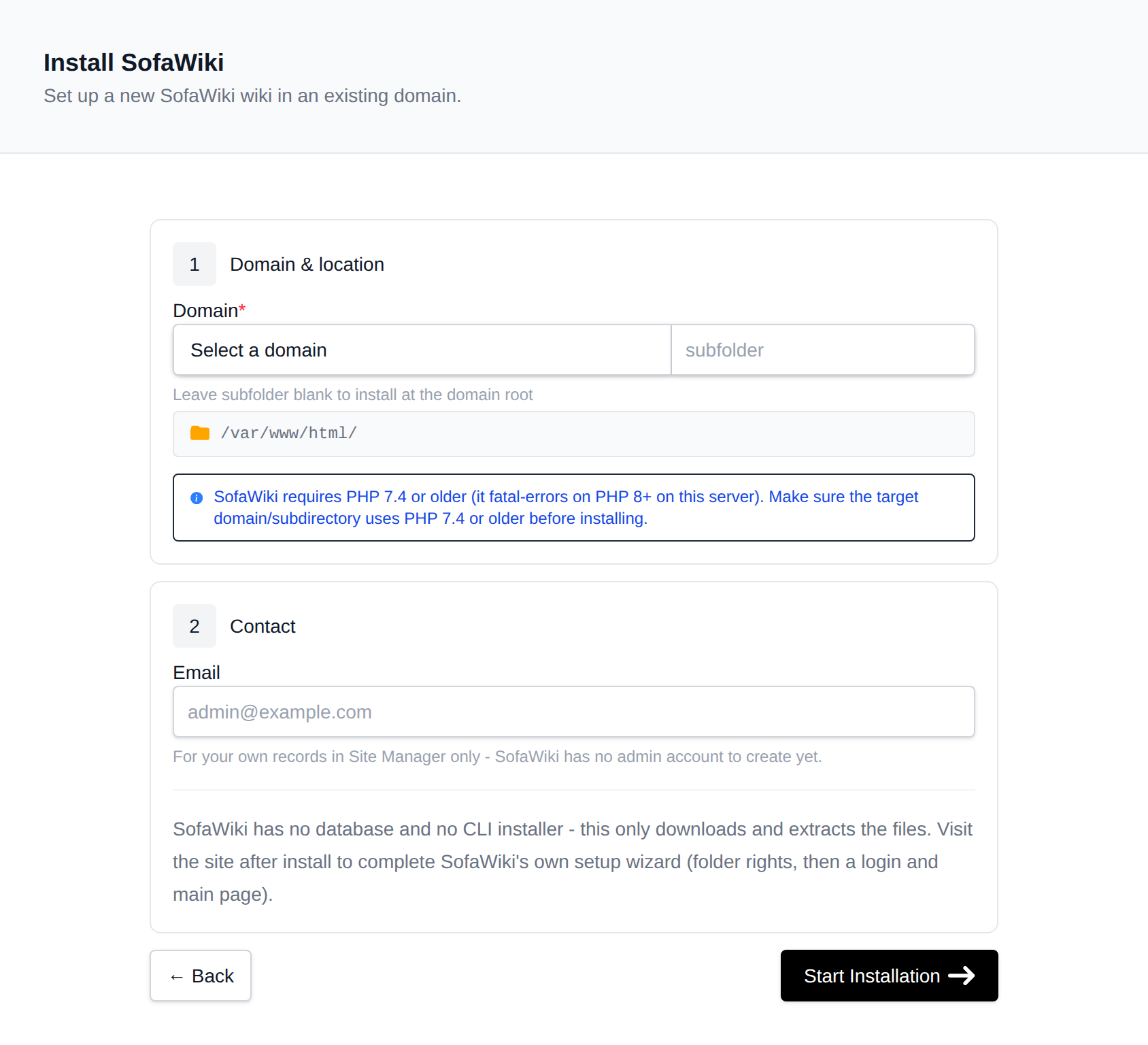
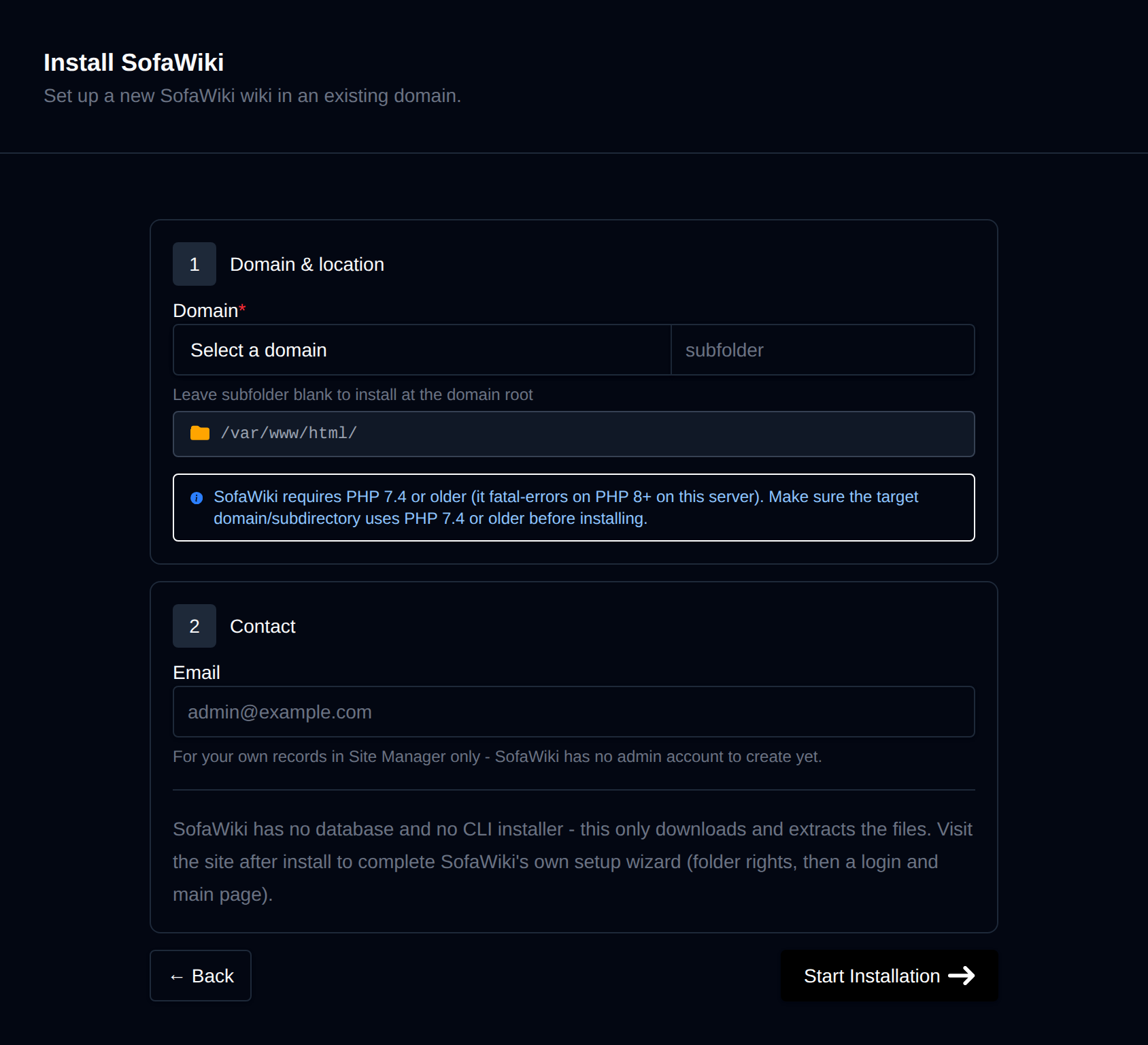
OpenPanel downloads SofaWiki from GitHub and fixes file ownership. There is no database to create.
Finish Setup in the Browser
SofaWiki has its own first-visit setup wizard. Open your domain in the browser and follow the steps - it checks folder permissions and creates the configuration file and your admin user.
The site's manage page shows a Setup reminder until the wizard is completed.
Managing the Wiki
The manage page in OpenPanel → Websites → Sites has:
- Clone - copy the wiki to another domain (update the site URL in
inc/configuration.phpof the copy afterwards). - Backups - files-only backups with one-click restore.
- Remove - Detach (keep files) or Delete Application.
More: SofaWiki in OpenPanel.
Related
- Install DokuWiki - works on current PHP versions
- Install MediaWiki
Was this helpful?