How to Install DokuWiki (Wiki Without a Database)
DokuWiki is a simple, reliable wiki that stores all pages as plain text files - no database needed. It's ideal for documentation, team notes and small knowledge bases, and it's very easy to back up and move.
Requirements
- OpenPanel Community or Enterprise - the DokuWiki module must be enabled for your hosting plan.
- A domain or subdomain, e.g.
docs.example.com.
Install DokuWiki
- Add the domain in OpenPanel → Domains (Add a new domain).
- Go to OpenPanel → Websites → Install App and click Install DokuWiki.
- Fill in the domain, site title, and the admin username, password, full name and email.
- Start the installation.
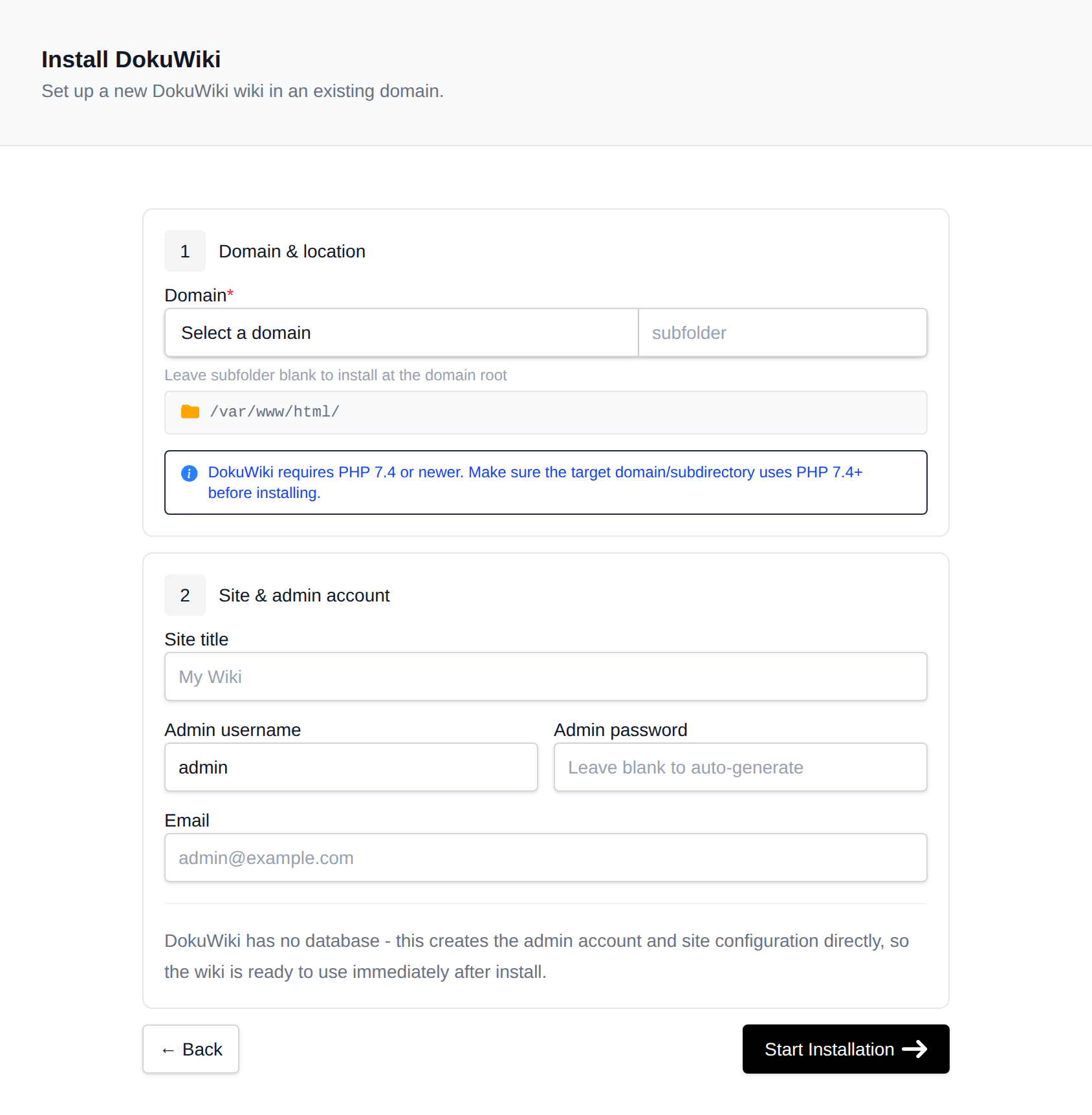
OpenPanel always installs the current stable DokuWiki release and creates the admin account for you - there's no setup wizard to complete.
Open https://docs.example.com and log in with the admin account.
Configure the Wiki
Everything is done from the wiki's Admin menu:
- Access Control List - decide who can read and edit. For a private wiki, give the
@ALLgroup None on the root namespace*and@userRead or Edit. - Configuration Settings - disable self-registration (Disable DokuWiki actions → Register) if only you should create accounts.
- Extension Manager - install plugins and templates (for example the Bootstrap3 template, or Move and Tag plugins) with one click.
Pretty URLs
To get docs.example.com/page instead of doku.php?id=page, set Use nice URLs to .htaccess in Configuration Settings. This works on Apache and OpenLiteSpeed; on Nginx and OpenResty, add DokuWiki's rewrite rules in Domains → Edit VHosts File (Enterprise, see Edit VHosts).
Managing the Wiki
The wiki's manage page in OpenPanel → Websites → Sites has:
- Update - installs the newest stable release while keeping
conf/,data/(your pages) andlib/plugins/. - Clone - copies the wiki to another domain.
- Backups - files-only backups (that's everything, since there's no database) with one-click restore.
- Remove - deletes the wiki.
More: DokuWiki in OpenPanel.