How to Install Drupal (with Composer and Drush)
Drupal is a powerful open-source CMS for complex websites. OpenPanel installs it the recommended, Composer-based way - with Drush included - so updates and modules are managed properly from day one.
Requirements
- OpenPanel Enterprise - the Drupal module must be enabled for your hosting plan.
- A domain pointed to the server.
- PHP 8.3 for Drupal 11 (PHP 8.1+ for Drupal 10).
Install Drupal
- Add the domain in OpenPanel → Domains (Add a new domain).
- Go to OpenPanel → Websites → Install App and click Install Drupal.
- Fill in:
- Domain (and optional subfolder),
- Site name,
- Drupal version - Latest (Drupal 11) or Drupal 10,
- Admin username, password and email.
- Start the installation.
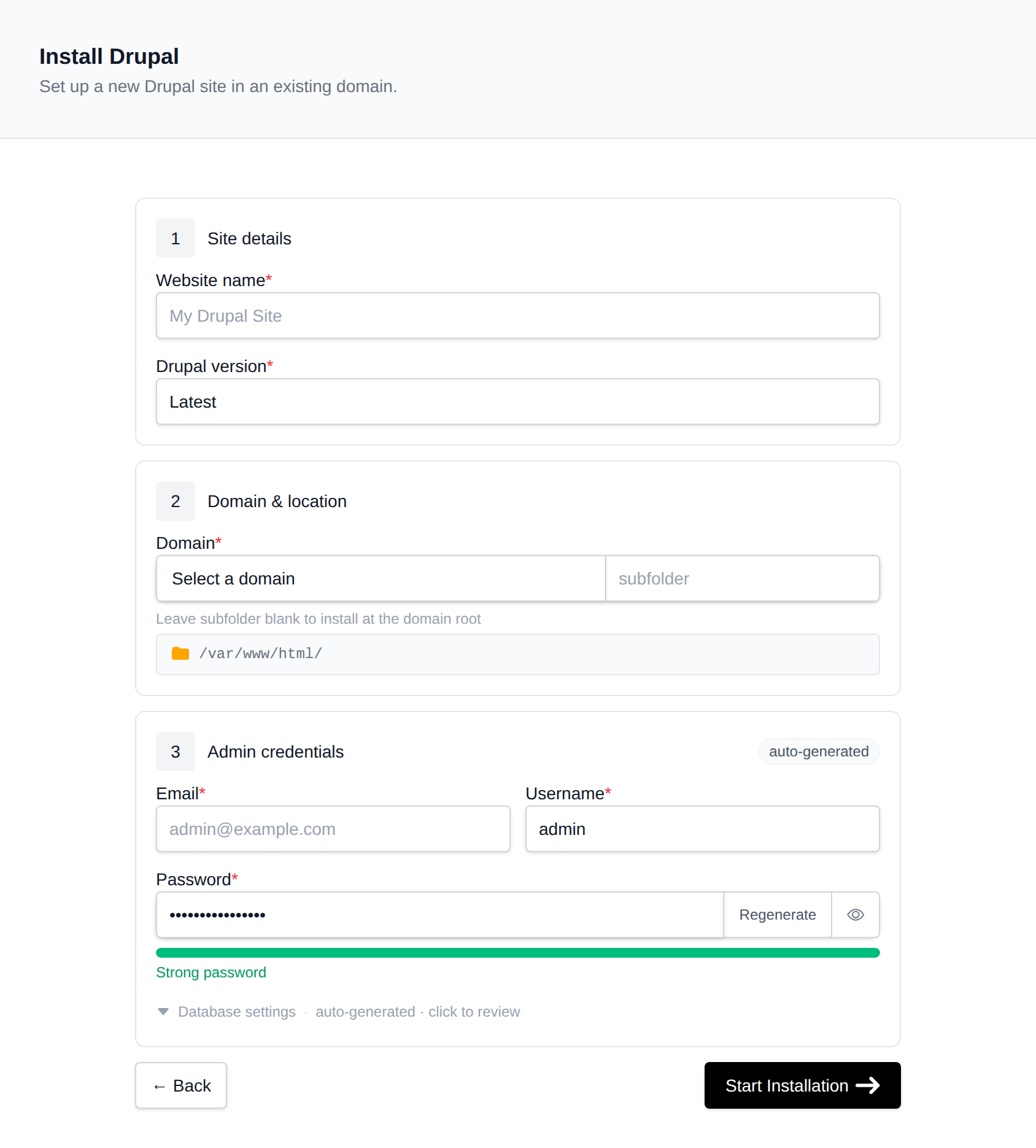
Behind the scenes, OpenPanel runs composer create-project drupal/recommended-project, adds drush/drush, creates a MySQL/MariaDB database and runs drush site:install.
Log in at https://example.com/user/login.
Running Drush and Composer
Open OpenPanel → Containers → Terminal, select the domain's PHP container (e.g. php-fpm-8.3) and go to the project folder:
cd /var/www/html/example.com

vendor/bin/drush status          # site status
vendor/bin/drush cr              # rebuild caches
vendor/bin/drush uli             # one-time admin login link
composer require drupal/pathauto # add a module
vendor/bin/drush en pathauto -y  # enable it
The web terminal is an Enterprise feature and must be enabled for your plan - see Terminal.
Cron
Drupal runs cron on page visits by default (Automated Cron). For reliable scheduled tasks, disable the Automated Cron module and add a job in OpenPanel → Cron Jobs:
- Container:
php-fpm-8.3 - Schedule: Hourly
- Command:
/var/www/html/example.com/vendor/bin/drush --root=/var/www/html/example.com/web cron
Updating Drupal
Update core and modules with Composer, then run the database updates:
cd /var/www/html/example.com
composer update "drupal/core-*" --with-all-dependencies
vendor/bin/drush updatedb -y
vendor/bin/drush cr
Take an account backup first.
Trusted Host Settings
If Drupal's status report warns about Trusted Host Settings, add your domain to web/sites/default/settings.php:
$settings['trusted_host_patterns'] = [
  '^example\.com$',
  '^www\.example\.com$',
];
Managing Drupal
Drupal appears in OpenPanel → Websites → Sites, showing the document root, installed version (from composer.lock) and database details. Remove uninstalls the site including its database.
More: Drupal in OpenPanel.