How to Deploy a Django App with Gunicorn
This guide shows how to deploy a Django project on OpenPanel. Django runs with Gunicorn in its own Python container, and OpenPanel's web server serves it on your domain with a free SSL certificate.
Python applications are available in OpenPanel Enterprise. The feature must be enabled for your hosting plan.
Step 1: Prepare the Project for Production
Assume a project called mysite:
example.com/
├── manage.py
├── requirements.txt
└── mysite/
    ├── settings.py
    ├── urls.py
    └── wsgi.py
requirements.txt:
Django==5.1.*
gunicorn==23.0.0
whitenoise==6.7.0
mysqlclient==2.2.*
python-dotenv==1.0.*
Use psycopg[binary] instead of mysqlclient for PostgreSQL.
settings.py
import os
from pathlib import Path
from dotenv import load_dotenv

BASE_DIR = Path(__file__).resolve().parent.parent
load_dotenv(BASE_DIR / ".env")

SECRET_KEY = os.environ["SECRET_KEY"]
DEBUG = os.environ.get("DEBUG", "0") == "1"

ALLOWED_HOSTS = ["example.com", "www.example.com"]
CSRF_TRUSTED_ORIGINS = ["https://example.com", "https://www.example.com"]

# OpenPanel terminates SSL and forwards requests to Gunicorn over HTTP
SECURE_PROXY_SSL_HEADER = ("HTTP_X_FORWARDED_PROTO", "https")
USE_X_FORWARDED_HOST = True

DATABASES = {
    "default": {
        "ENGINE": "django.db.backends.mysql",
        "HOST": "mysql",          # "mariadb" for MariaDB, "postgres" for PostgreSQL
        "PORT": "3306",
        "NAME": os.environ["DB_NAME"],
        "USER": os.environ["DB_USER"],
        "PASSWORD": os.environ["DB_PASSWORD"],
    }
}

# Static files are served by WhiteNoise from inside Django
STATIC_URL = "static/"
STATIC_ROOT = BASE_DIR / "staticfiles"
MIDDLEWARE.insert(1, "whitenoise.middleware.WhiteNoiseMiddleware")  # right after SecurityMiddleware
Then create .env next to manage.py (never commit it to Git):
SECRET_KEY=generate-a-long-random-string
DEBUG=0
DB_NAME=user_mysite
DB_USER=user_mysite
DB_PASSWORD=strong-password
Step 2: Create the Database
In OpenPanel → MySQL → Database Wizard, create a database and a user with all privileges, and put the names into .env.
Inside OpenPanel, databases are reached by service name, never localhost:
| Database | HOST | PORT |
|---|---|---|
| MySQL | mysql | 3306 |
| MariaDB | mariadb | 3306 |
| PostgreSQL | postgres | 5432 |
Step 3: Upload the Code
Add the domain in OpenPanel → Domains, then upload the project to the domain folder (/var/www/html/example.com/) with the File Manager or FTP - or deploy it from Git in the next step.
Step 4: Create the Python Application
Go to OpenPanel → Websites → Install App → Setup Python Application:
| Field | Value |
|---|---|
| Name | mysite |
| Domain | example.com |
| Port | 8000 |
| Startup File | manage.py |
| Custom Startup Command | see below |
| Version | a Python version supported by your Django release, e.g. 3.12 |
| Run Install | ✅ Yes |
| Git repository | optional, https:// URL |
| CPU / Memory | e.g. 1 core, 1 GB |
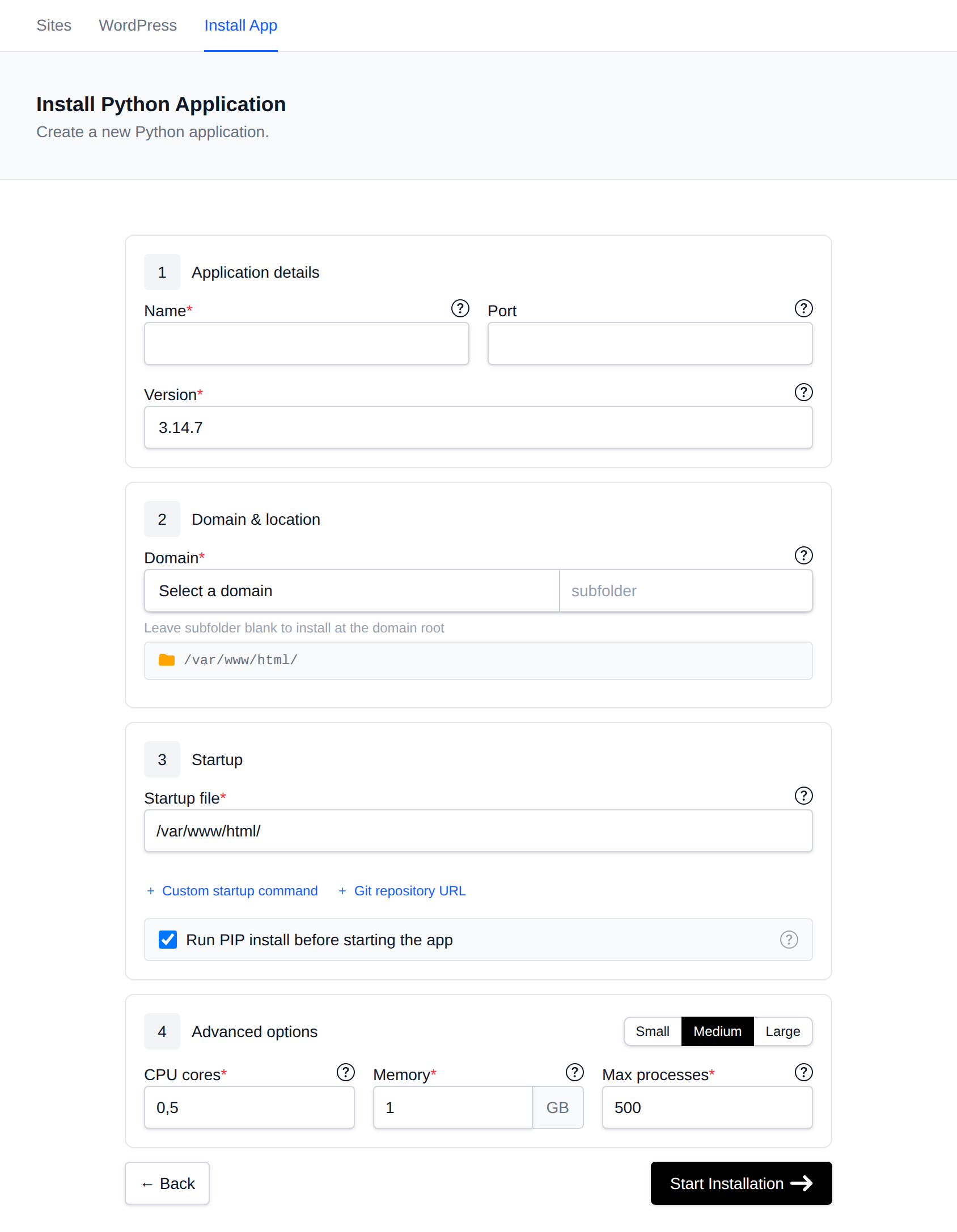
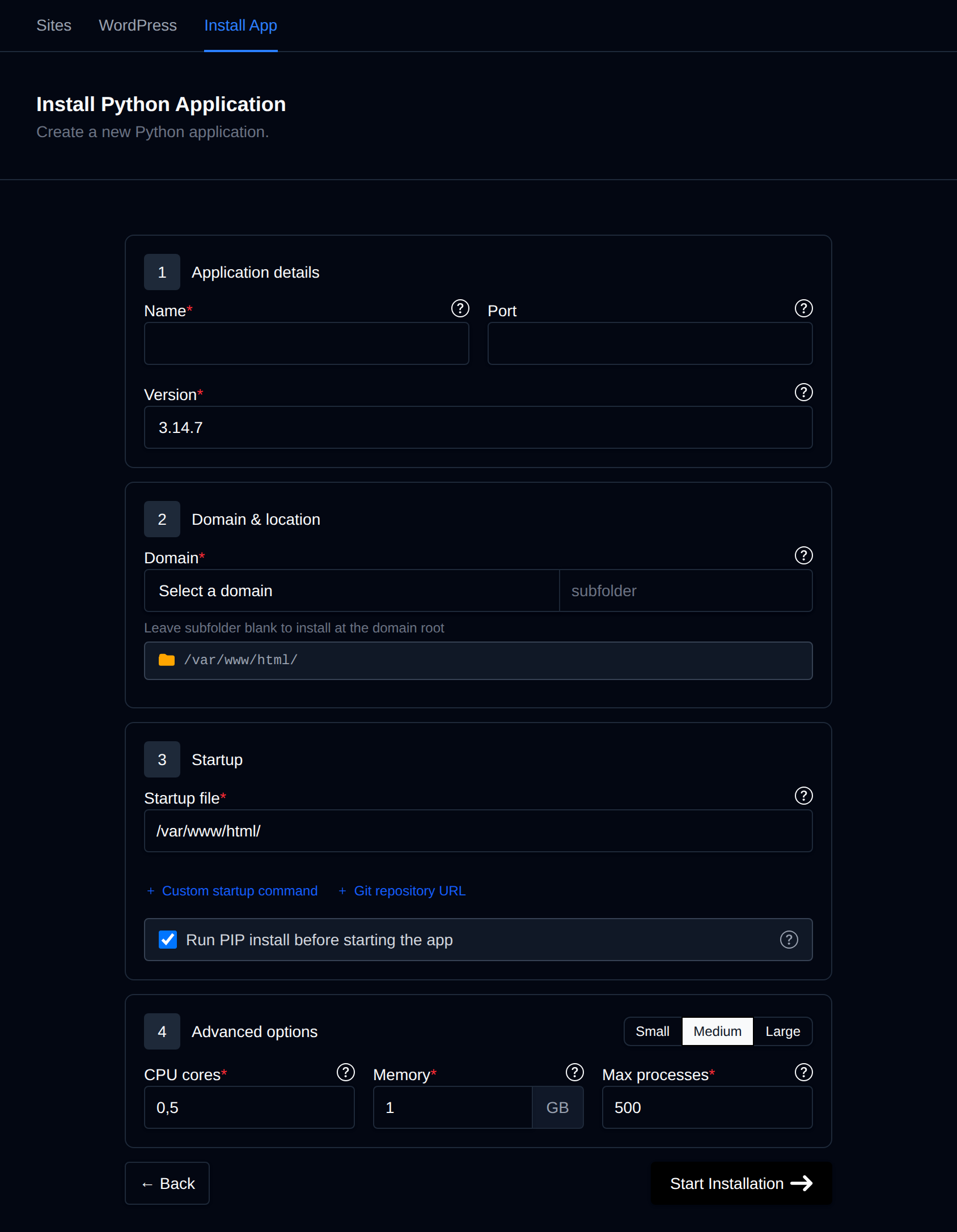
Custom Startup Command - runs migrations, collects static files, then starts Gunicorn:
python manage.py migrate --noinput && python manage.py collectstatic --noinput && gunicorn mysite.wsgi:application --bind 0.0.0.0:8000 --workers 3
Click Start Installation, then open https://example.com.
Because migrations and collectstatic run on every start, deploying a new version is just: upload or git push, then Restart the app. With a Git repository set, the container pulls the latest commit of the default branch on each start.
Step 5: Create an Admin User
Open OpenPanel → Containers → Terminal, select the mysite container and run:
python manage.py createsuperuser
Then log in at https://example.com/admin/.
The web terminal is an Enterprise feature and must be enabled for your plan - see Terminal.
Background Tasks
-
Scheduled commands (e.g.
python manage.py clearsessions): add a cron job. -
Celery workers: enable the account's Redis service and use it as the broker (
redis://redis:6379/0). Then start the worker in the background from the same startup command, before Gunicorn:python manage.py migrate --noinput && python manage.py collectstatic --noinput && (celery -A mysite worker -l info &) && gunicorn mysite.wsgi:application --bind 0.0.0.0:8000 --workers 3Add
celeryandredistorequirements.txt, and give the app enough memory for both processes.
Media Files (User Uploads)
WhiteNoise serves static files only. For files uploaded by users (MEDIA_ROOT), either store them on object storage (e.g. S3 with django-storages) or serve them from Django for small sites. Keep MEDIA_ROOT inside the project folder so the files are included in backups.
Troubleshooting
| Problem | Fix |
|---|---|
| 502 Bad Gateway | Gunicorn isn't running or listens on the wrong address. Check the app Logs; bind to 0.0.0.0:8000. |
DisallowedHost | Add the domain to ALLOWED_HOSTS. |
CSRF verification failed on forms | Add https://yourdomain to CSRF_TRUSTED_ORIGINS and set SECURE_PROXY_SSL_HEADER. |
Redirect loop with SECURE_SSL_REDIRECT | Set SECURE_PROXY_SSL_HEADER as above - OpenPanel already redirects HTTP to HTTPS. |
| No CSS in the admin | collectstatic didn't run, or WhiteNoise middleware is missing. |
mysqlclient fails to install | Use a full Python version from the dropdown (not a custom -slim image), or switch to PyMySQL. |