How to Choose MySQL, MariaDB or Percona per User
When creating a user, you can select which MySQL-compatible database type to use:
- MySQL
- MariaDB
Users also have the Change MySQL Type option, which allows switching between these types after creation.
Administrators can configure the default database type for new users from OpenAdmin > Settings > User Defaults.
MySQL
MySQL can be assigned either to all new users by default or to individual users during creation.
Set for a Single User
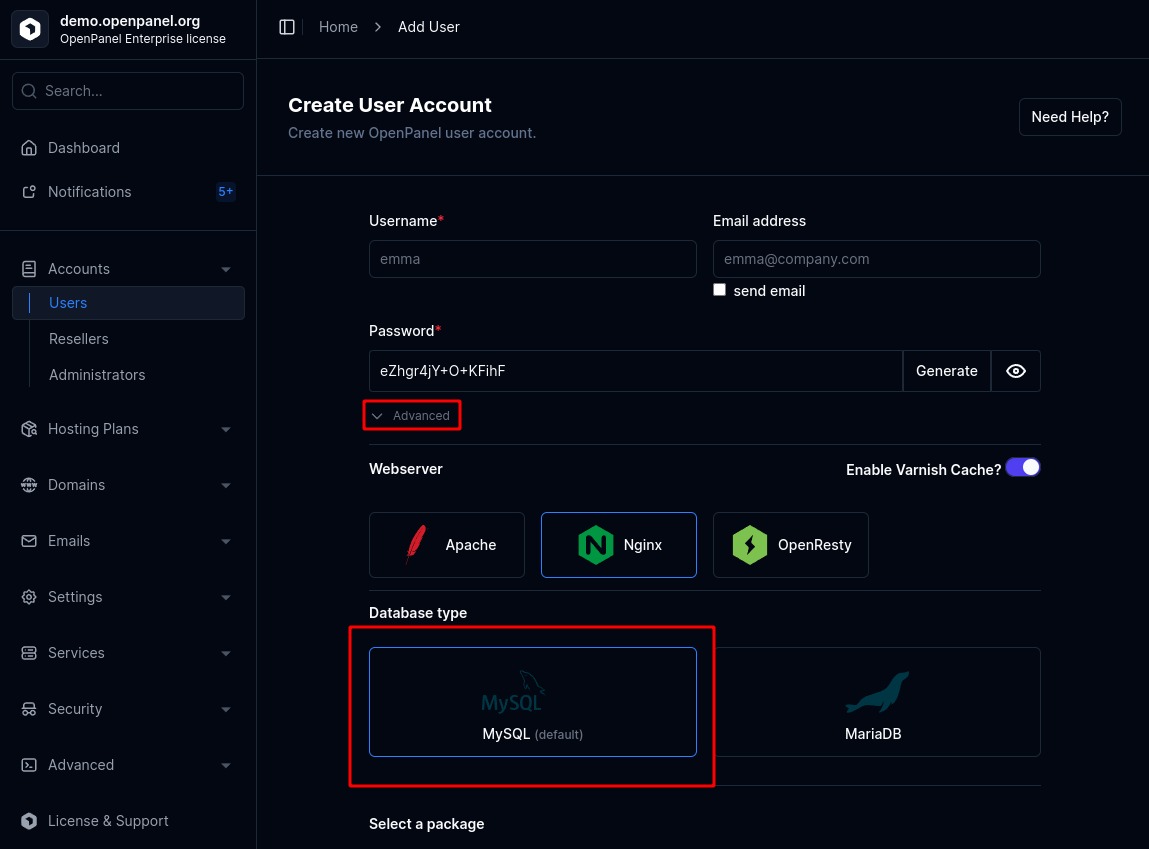
To set MySQL for a single user during creation:
- Open the New User form.
- Under the Advanced section, select MySQL as the database type.
Set as Default
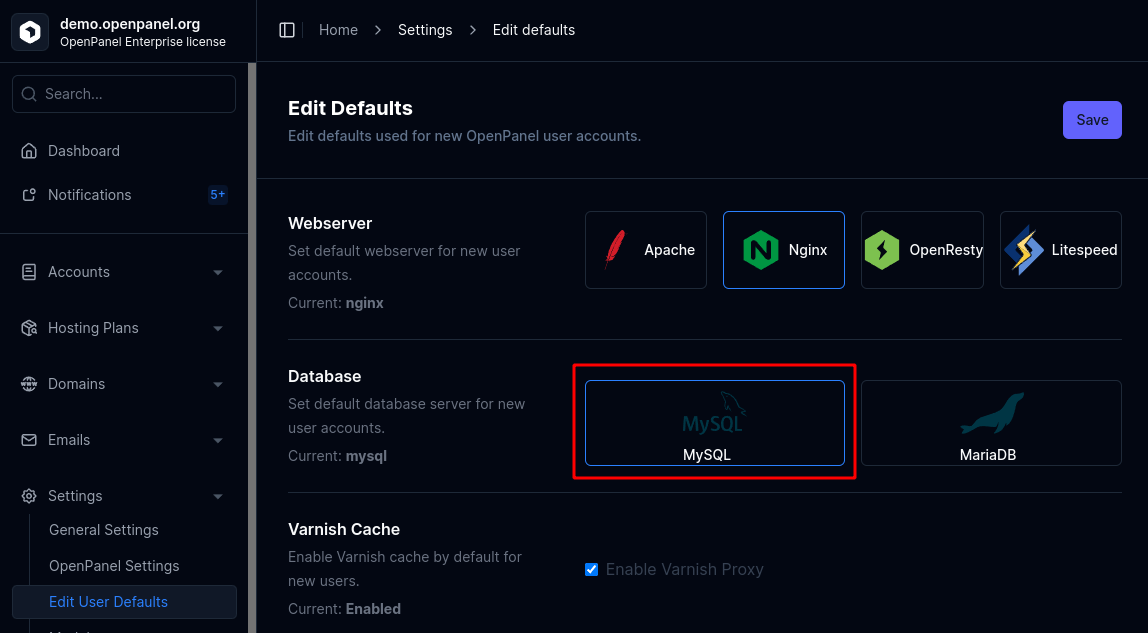
To make MySQL the default for all newly created users:
- Go to OpenAdmin > Settings > User Defaults and select MySQL as the default database type.
MariaDB
MariaDB can be assigned either to all new users by default or to individual users during creation.
Set for a Single User
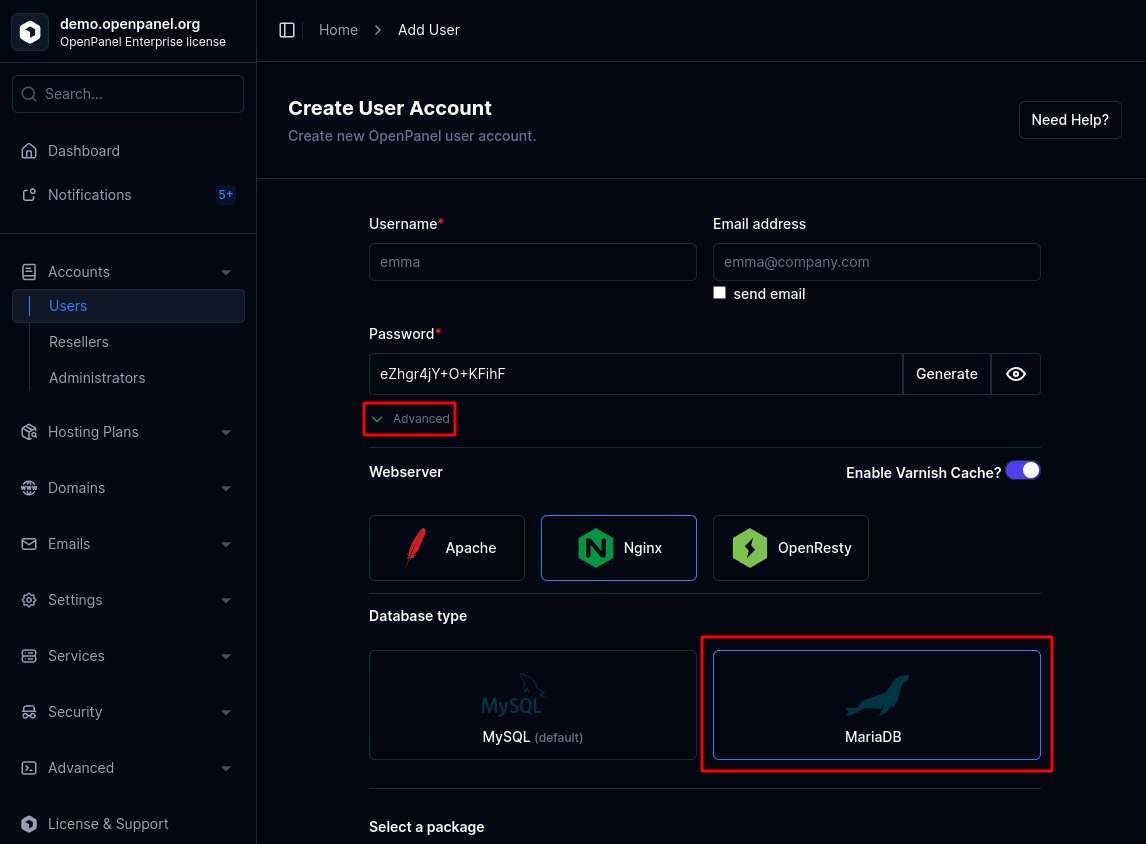
To set MariaDB for a single user during creation:
- Open the New User form.
- Under the Advanced section, select MariaDB as the database type.
Set as Default
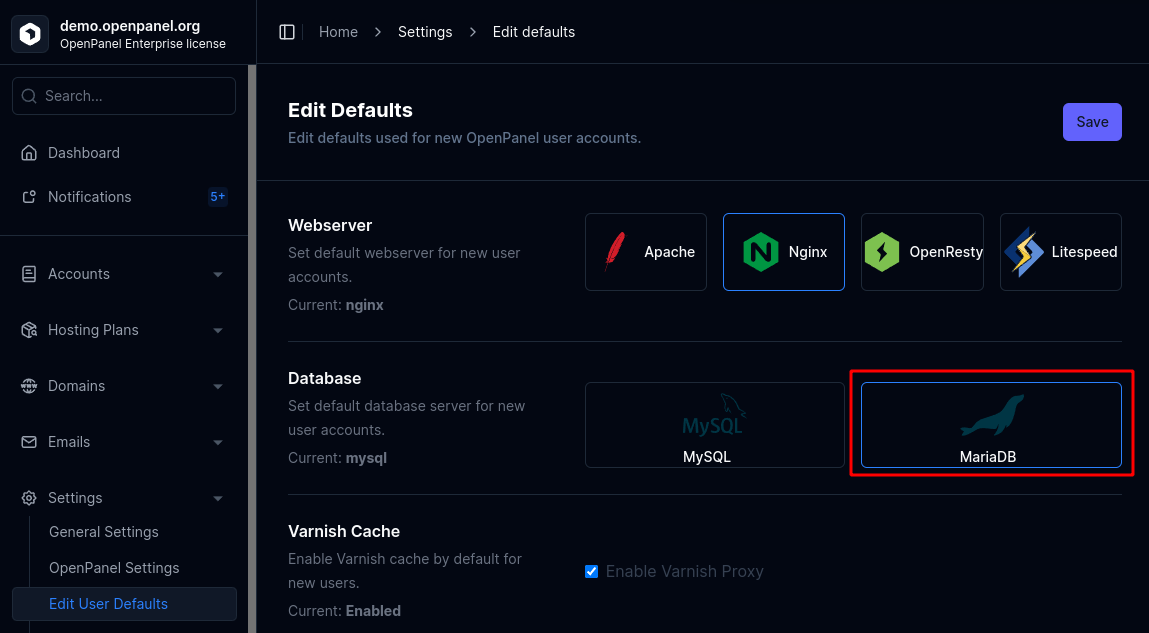
To make MariaDB the default for all newly created users:
- Go to OpenAdmin > Settings > User Defaults and select MariaDB as the default database type.
Percona
Percona Server for MySQL is a drop-in replacement for MySQL - same mysql service, same databases/users/privileges tooling, just a different Docker image (percona/percona-server). Selecting it no longer requires manually editing the user's Compose file - the panel swaps the image (and the container settings Percona needs to run correctly) for you.
Set During Onboarding
New users are shown the onboarding wizard on their first dashboard visit, where Percona is offered alongside MySQL and MariaDB as a database option - picking it wipes any existing (empty, default) database and starts the account on Percona right away.
Set for an Existing User
Existing users switch their database engine from MySQL > Server Type. That page currently only offers a single-click toggle between MySQL and MariaDB; to move an existing account to Percona (or back), submit the switch request directly:
POST /containers/mysql?output=json
new_sql=percona
This is the same endpoint the onboarding wizard itself calls, so the result is identical: all existing databases and users must first be removed (same requirement as switching between MySQL and MariaDB), then the account's mysql container is stopped, its data volume wiped, its Compose image swapped to Percona, and restarted.
Set as Default
Percona isn't currently offered as a User Defaults option in OpenAdmin > Settings > User Defaults - new users still default to MySQL or MariaDB there. To provision a new account on Percona from the start, create it as MySQL and switch it via the wizard or the API call above right after creation.