How to Install Open Journal Systems (OJS) for Academic Publishing
Open Journal Systems (OJS) from the Public Knowledge Project is the most widely used open-source software for managing and publishing scholarly journals - submissions, peer review, editing and publishing in one place. OpenPanel installs it in one click.
Requirements
- OpenPanel Enterprise - the OJS module must be enabled for your hosting plan.
- A domain or subdomain, e.g.
journal.example.edu. - A PHP version supported by the OJS release (PHP 8.1+ for OJS 3.4 / 3.5).
Install OJS
- Add the domain in OpenPanel → Domains (Add a new domain).
- Go to OpenPanel → Websites → Install App and click Install OJS.
- Fill in the domain, OJS version (Latest), and the admin username, password and email - this becomes the Site Administrator.
- Start the installation.

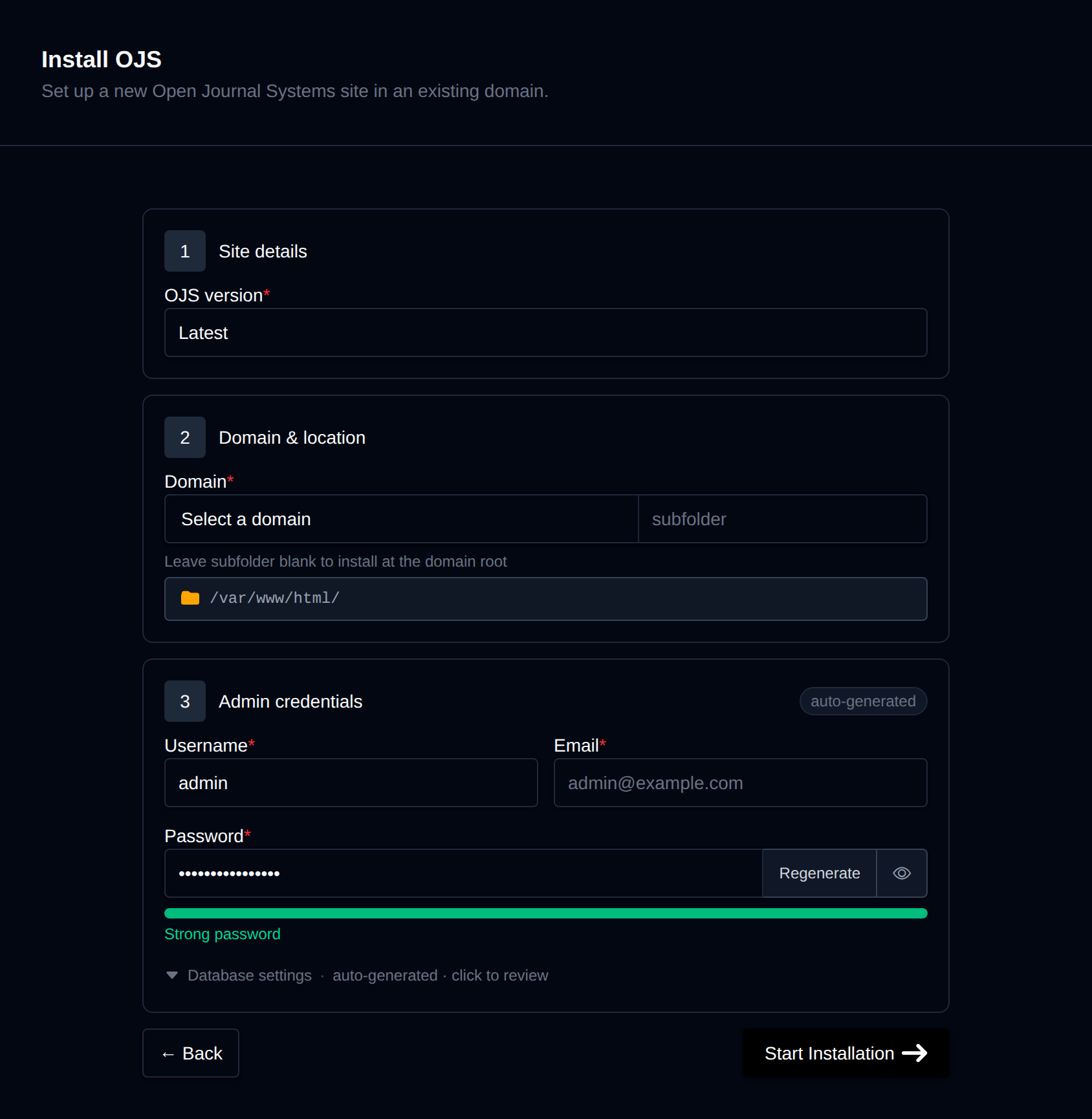
OpenPanel downloads the complete release package from PKP, creates a MySQL/MariaDB database, runs OJS's installer and registers the scheduled-tasks cron job. Uploaded submission files are stored in a separate files directory next to the app, outside the web root, as PKP recommends.
Log in at https://journal.example.edu/login, or use Login as Admin on the site's manage page.
Create Your First Journal
- Go to Administration → Hosted Journals → Create Journal.
- Enter the journal title, initials, path (for example
jcs→https://journal.example.edu/index.php/jcs) and languages. - Open the journal's Settings Wizard to set up masthead, submission guidelines, review forms and users.
One OJS installation can host multiple journals.
Recommended Settings
Upload size for manuscripts
Raise PHP's limits so authors can upload larger files - in OpenPanel → PHP → PHP.INI Editor:
upload_max_filesize = 64M
post_max_size = 64M
memory_limit = 256M
See How to increase PHP limits.
Email
OJS sends a lot of workflow email (submission, review requests, decisions). Configure SMTP in the [email] section of config.inc.php with a mailbox on your domain, and set up SPF and DKIM - see Why do my emails go to spam?.
Scheduled tasks
OJS uses scheduled tasks for review reminders, statistics and other background work. OpenPanel registers this cron job automatically during installation (it runs lib/pkp/tools/scheduler.php run every minute in the PHP container) - you can see it in OpenPanel → Cron Jobs. If the installer warned that it couldn't add the job, create it there manually with the same command.
Managing OJS
The site's manage page in OpenPanel → Websites → Sites has Login as Admin, Cache (clears OJS's template and data cache - useful after changing themes or plugins), Logs, Backups and Remove.
More: OJS in OpenPanel.