Two-Factor Authentication
The Two-Factor Authentication is a recommended security feature that allows you to set up a second factor device. Essentially, during login, it requires not only your password but also a code from an application on your mobile phone.
Enable 2FA
To enable 2FA for your account click on the 'Click to enable 2FA' button.
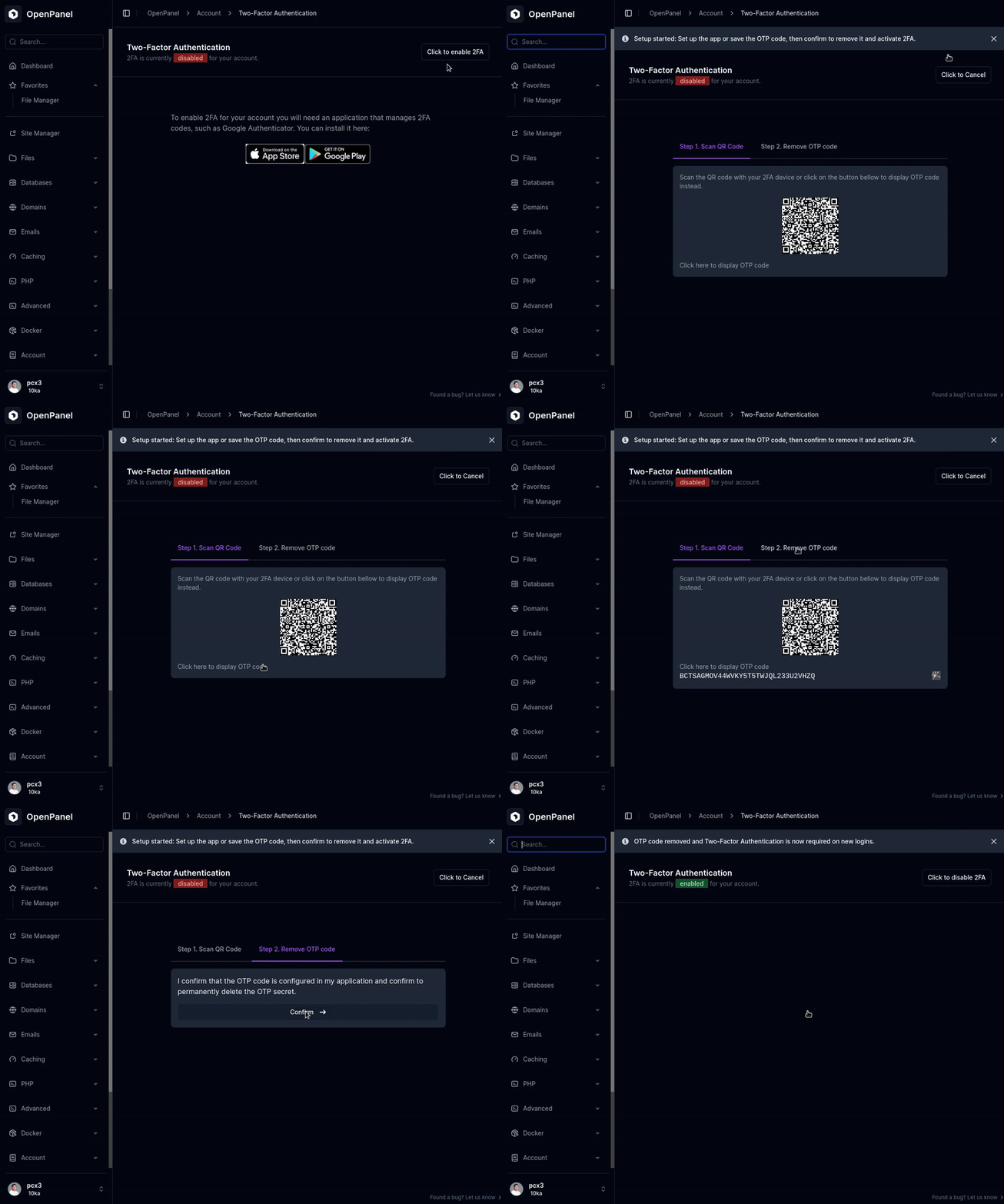
A QR code will be displayed that you can scan with your phone using a selected application such as Google Authenticator. Alternatively, you can click on the 'Click here to display OTP code' link to show a code that you can manually type in or copy into the application.
Once you have set the QR code or OTP code in your application, it's essential to click on the 'Confirm' button to permanently delete the OTP secret from the panel. Otherwise, anyone who accesses your account can view these codes and set them in their application.
While setup is in progress, you can click 'Click to Cancel' to abort and remove the pending OTP secret without enabling 2FA.