Resource Usage
Resource Usage provides real-time information about your server's CPU, RAM, and other performance metrics. You can monitor your server's resource consumption and access historical data to make informed decisions.
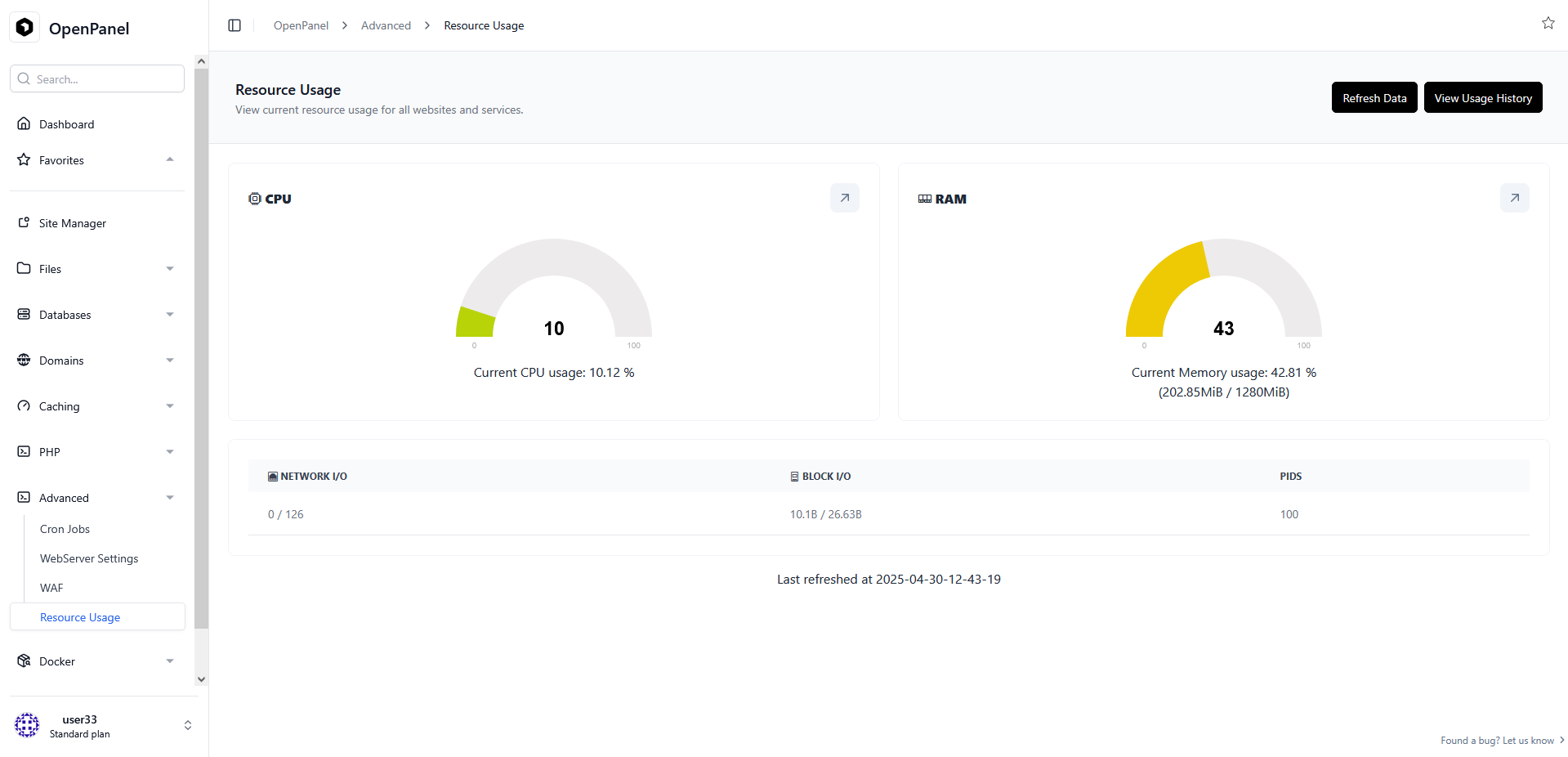
CPU Usage
The CPU Usage section displays the current CPU usage of your server. It provides essential details about the percentage of CPU utilization and allows you to track historical CPU usage.
Current CPU Usage
The gauge shows the current CPU usage as a percentage. It helps you quickly assess how much of your CPU resources are in use.
Historical Data
To view past CPU usage data, click the View Usage History button in the top right corner of the page.
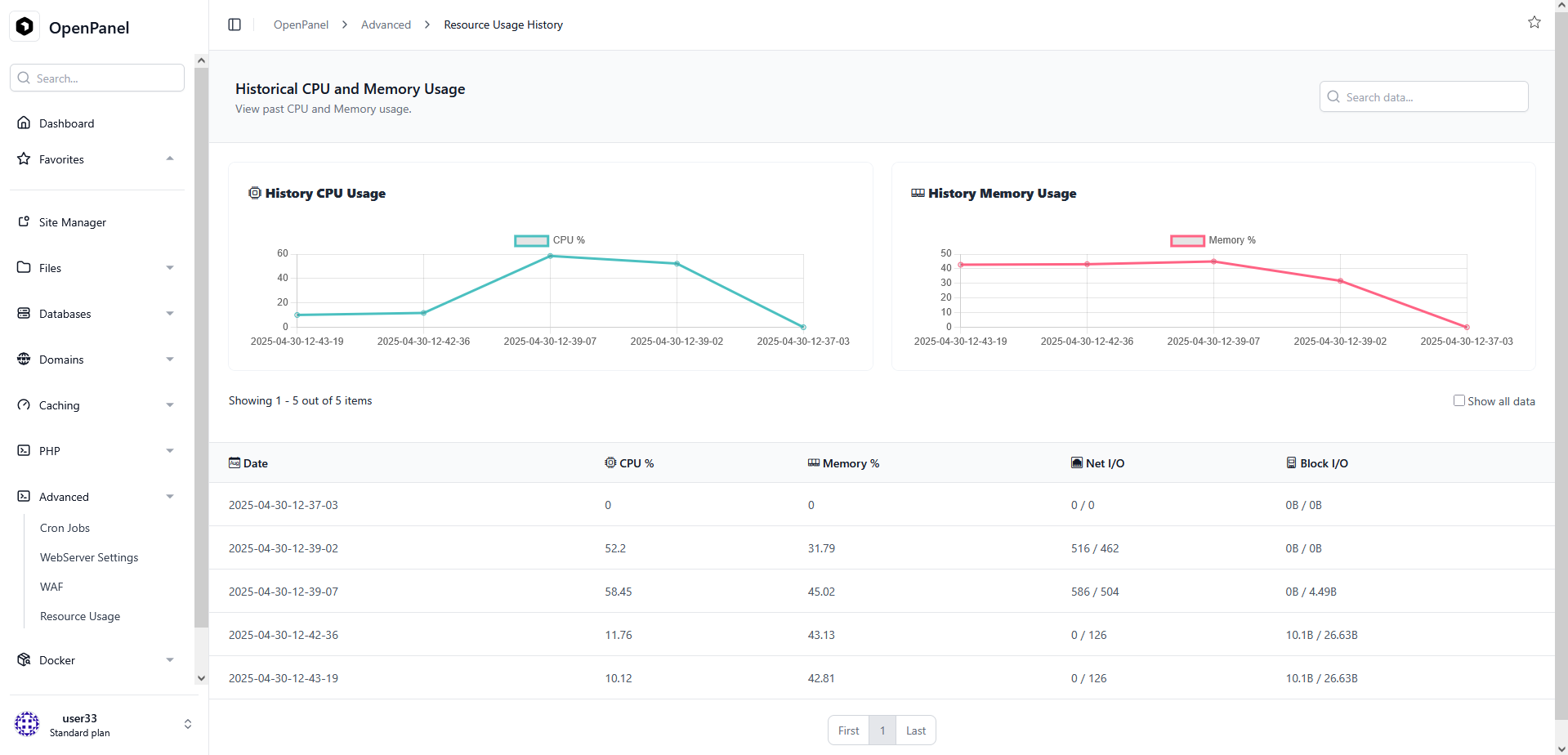
This will open the Historical Resource Usage page that allows you to track historical CPU and memory usage, enabling you to make informed decisions and analyze your server's performance over time.
RAM Usage
The RAM Usage section provides insights into your server's memory consumption. It displays the current memory usage and historical data.
Current RAM Usage
The gauge illustrates the current RAM usage as a percentage, along with:
- Used Memory (amount used and percentage)
- Total Memory
- Available Memory
Historical Data
Access historical RAM usage data by clicking the same View Usage History button used for CPU history - both metrics are tracked together.
This will open the Historical Resource Usage page that allows you to track historical CPU and memory usage, enabling you to make informed decisions and analyze your server's performance over time.
Historical Data Table
Below the charts, the Historical Resource Usage page lists every recorded data point in a table with the following columns: Date, CPU %, CPU Total, Memory %, Memory Used/Total, Bandwidth Usage, and Warning.
Results are paginated; toggle Show all data to display every recorded entry on a single page instead.
By monitoring and managing your server's resource usage effectively, you can ensure optimal performance and make informed decisions to address any resource-related challenges.