TinyFileManager
Install and manage TinyFileManager in an existing domain. This installs a standalone, password-protected, web-based file manager as a regular PHP application into a domain's docroot — a separate tool visitors log into at the site's own URL — which is entirely distinct from OpenPanel's own built-in File Manager used for browsing your hosting account's files from inside the panel. TinyFileManager is a single PHP file with no database, no CLI installer, no versioning, and no update mechanism upstream, so this manager is deliberately minimal: no dedicated sidebar page, no cloning, no scanning for existing installs, no hardening rules, no maintenance mode, no admin auto-login, and no cache to clear.
Install TinyFileManager
Navigate to OpenPanel > Websites > Install App and click Install TinyFileManager.

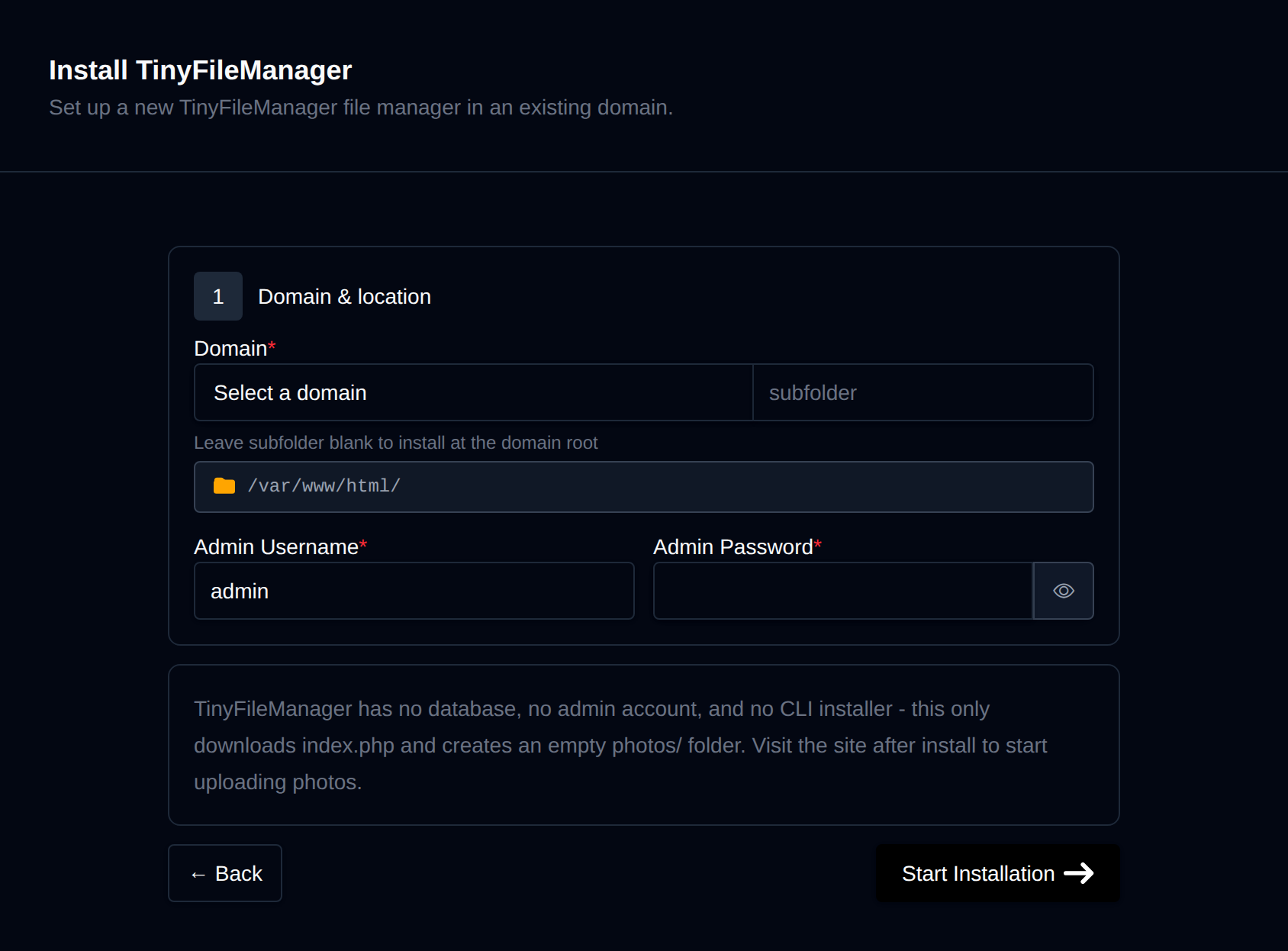
On the install page, configure:
- Domain – The domain (and optional subfolder) to install into. Leave the subfolder blank to install at the domain root.
- Admin username / password – The login TinyFileManager itself will prompt for when the site is visited.
Behind the scenes, this downloads tinyfilemanager.php from the project's master branch (there are no tagged releases upstream, so it always installs current master), hashes the provided admin password with PHP's own password_hash() run inside the domain's own PHP container (guaranteeing a hash format that container's password_verify() call will accept), and rewrites the file's default sample $auth_users array down to just the one admin account provided. Progress is streamed live as each step completes.
Manage a TinyFileManager installation
Every TinyFileManager install shows up on the general Site Manager page (/sites) alongside your other websites. Click Manage on a TinyFileManager site to open its overview page:
- Screenshot and TinyFileManager / PHP / Created status cards. TinyFileManager always reports as "main" since there is no real versioning upstream.
- Files – Docroot path, a File Manager shortcut, and live folder size. There is no Database card — TinyFileManager has no database.
- PHP version – Editable for root-level installs; subdirectory installs inherit the domain's PHP version.
- Setup – A reminder that TinyFileManager is ready to use immediately — log in with the admin credentials set at install time — with a link to open the site.
Backups
The Backups tab generates and restores files-only backups (there is no database). Backups are stored under backups/<domain>/<timestamp>/files.tar.gz in the account's html-data volume, same layout every other CMS module uses for its own files backup.
Remove
The Remove tab's Delete Application button fully uninstalls the site: deletes tinyfilemanager.php and removes it from Site Manager. This cannot be undone.